EasyManua.ls Logo

Trotec TTK 100 E - User Manual

Trotec TTK 100 E
20 pages
Print Icon
To Next Page IconTo Next Page
Loading...
TRT-BA-TTK100E-TC2019-35-010-EN
TTK 100 E
EN
OPERATING MANUAL
DEHUMIDIFIER
Question and Answer IconNeed help?

Do you have a question about the Trotec TTK 100 E and is the answer not in the manual?

Summary

Safety

General Safety Instructions

Read all safety warnings and instructions carefully to prevent electric shock, fire, and serious injury.

Appliance Usage Guidelines

Appliance can be used by children from 8 years and above with supervision. Not for play, cleaning/maintenance by unsupervised children.

Safety Symbols Explained

Explains hazard symbols like Danger, Warning of electrical voltage, Warning, Caution, and Note used in the manual.

Flammable Refrigerant Safety

Refrigerant Safety Precautions

Only position device in rooms without ignition sources and with adequate ventilation, following national regulations.

Refrigerant Handling and Maintenance

Only qualified personnel can perform maintenance and repair. Specialist companies must handle refrigerant circuit work.

Device Usage Guidelines

Intended Use and Applications

For drying and dehumidifying room air, and can be used as a clothes dryer. Suitable for living areas, storage, etc.

Foreseeable Misuse and Prohibitions

Prohibits industrial use, placement on wet ground, covering the device, unauthorized modifications, or outdoor use.

Personnel Qualifications for Use

Users must be aware of dangers in damp areas and have read the operating manual, especially safety sections.

Safety Information and Risks

Safety Labels and Manual References

Do not remove safety signs. Labels and symbols indicate manual adherence and repair requirements.

Hazards of Flammable Refrigerant R290

Details dangers of R290 (extremely flammable gas) and safety precautions to avoid ignition and explosion.

Safety and Handling Precautions

Electrical Safety and Emergency Response

Precautions for electrical work, emergency shutdown, and use of air filter. Only specialists for internal tasks.

General Warnings and Device Use

Dangers from untrained use. Device is not a toy. Packaging poses suffocation risk.

Device Operation and Features

Description, Functionality, and Laundry Drying

Explains condensation principle, air flow, humidity reduction, tank indicator, optional drainage, and laundry drying.

Transport and Storage Guidelines

Transport Precautions and Procedures

Follow regulations for flammable refrigerants. Switch off, unplug, drain condensate, and avoid dragging by cable.

Post-Transport Setup and Rest

After transport, set up upright and let device rest 12-24 hours before switching on to avoid compressor damage.

Storage Conditions

Drain condensate, unplug, store in a dry, frost-free, upright position, protected from dust and sunlight.

Assembly and Installation

Scope of Delivery and Unpacking

Check for device, air filter, manual. Remove packaging and unwind power cable carefully.

Installation and Placement Requirements

Observe distances, ensure airflow, use RCD in wet areas, position upright on firm ground, avoid tripping hazards.

Component Installation

Ensure correct installation of air filter and condensation tank before switching on the device.

Power Cable Connection

Insert the mains plug into a properly secured mains socket.

Device Operation

General Operation and Fan Behavior

Avoid open doors/windows. Device operates automatically; fan runs continuously even after humidity target is met.

Control Panel Overview

Describes the display and operating elements including Power, Timer, Arrow buttons, and Speed button for controlling the dehumidifier.

Switching the Device On

Press the power button (10) to switch on the device. The device starts to dehumidify.

Setting Operating Modes and Parameters

Dehumidification and Laundry Drying Modes

Select dehumidification or high-fan laundry drying. Adjust humidity settings as needed.

Humidity and Fan Speed Adjustment

Set desired humidity (30-80% RH) using arrow buttons and fan speed (low/high) using the speed button.

Timer Functions

Configure automatic switch-on/off timer (1-12 hours). Device must not be left unattended with active timer.

Automatic Switch-on;off Setup

Detailed steps for setting the timer for automatic device activation or deactivation.

Continuous Water Drainage

Connecting the Drain Hose

Remove tank, push hose onto connection, check positioning, guide other end to drain/container, avoid kinks.

Device Modes and Troubleshooting

Automatic Defrost and Laundry Drying

Device automatically defrosts ice. Laundry drying uses high fan speed; adjust humidity settings.

Device Shutdown Procedure

Switch off, unplug, remove hose, empty tank, clean, and store as per manual.

Troubleshooting: Initial Faults

Checks for device not starting, no condensate, loud operation/vibration, and condensate leaking.

Error Code Reference

Lists error codes (E1-E5, Lo, Hi) and their causes/remedies for segment display errors.

Troubleshooting Compressor and Performance

Compressor and Performance Issues

Checks for compressor not starting, overheating, and issues with warmth, loudness, or performance loss.

Detailed Error Code Explanations

Provides causes and remedies for specific error codes displayed on the segment display (E1-E5, Lo, Hi).

Maintenance Schedule and Log

Recommended Maintenance Intervals

Table outlining essential maintenance tasks and their recommended frequency for optimal device performance.

Maintenance and Care Log

Template for recording maintenance tasks, dates, and signatures for device upkeep and history.

Maintenance Preparation and Cleaning

Pre-Maintenance Safety and Specialist Tasks

Switch off, unplug, avoid wet hands. Internal tasks require authorized specialists. Check safety signs.

Housing and Internal Cleaning

Clean housing with damp cloth. Visually inspect inside for dirt after removing the air filter.

Air Filter Cleaning Procedure

Clean the air filter when dirty. Ensure it's undamaged and dry before reinserting.

Air Filter and Condensation Tank Maintenance

Air Filter Cleaning and Reinstallation

Detailed steps for cleaning the air filter with a damp cloth or mild agent and reinserting it.

Condensation Tank Full Indicator

Explains the TANK FULL LED and indication when the tank is full or misplaced, causing the device to stop.

Condensation Tank Emptying and Cleaning

Procedure for taking out, emptying, rinsing, and cleaning the condensation tank.

Post-Maintenance and Technical Information

Post-Maintenance Rest and Reconnection

Allow device to rest 12-24 hours after maintenance before reconnecting and switching on.

Long-Term Storage Instructions

If not using the device for a considerable time, store it according to the Transport and Storage chapter.

Technical Data and Specifications

Provides detailed specifications like model, capacity, airflow, operating range, power, dimensions, and weight.

Minimum Clearance Requirements

Specifies required clearance distances (A, B, C, D) around the device for proper operation.

Disposal Information

Waste Electrical and Electronic Equipment

Do not dispose of with household waste. Use designated collection points. Follow EU regulations for recycling.

Refrigerant Disposal Requirements

Have refrigerant (propane) disposed of appropriately by a certified company according to national regulations.

Overview

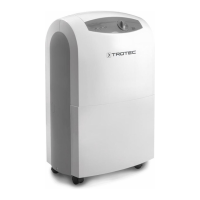
The TTK 100 E is a dehumidifier designed for drying and dehumidifying room air, and can also be used as a clothes dryer for wet laundry. It operates on the principle of condensation, where a fan draws damp room air through an air inlet and filter to an evaporator. The air is cooled below its dew point, causing water vapor to condense on the evaporator fins. The dehumidified, cooled air is then slightly warmed by a condenser and blown back into the room, reducing the overall humidity. The device features a control panel for operation and monitoring.

Function Description:

The device automatically dehumidifies rooms. The fan runs continuously in dehumidification mode even after the set nominal value is reached, until the device is switched off. The condensed water either drips continuously or during a defrost phase into an integrated drain nozzle, leading to a condensation tank. A float in the tank measures the filling level. When the tank is full or not correctly installed, a "TANK FULL" LED illuminates, and the device switches off. The LED extinguishes once the tank is emptied and reinserted. For continuous operation, condensed water can be drained via a hose attached to the condensation connection (hose not included). The device can reduce relative humidity to approximately 30%. Due to heat radiation during operation, the room temperature may rise slightly.

The TTK 100 E offers two main operating modes:

  • Dehumidification: The compressor runs until the desired relative room humidity is reached. If humidity exceeds this value, the compressor restarts. The fan operates continuously. The desired relative room humidity can be set in 10% increments within a range of 30% to 80%.
  • Laundry drying function: This mode allows the device to dry wet laundry in living or working spaces. Recommended humidity values for drying laundry are: cupboard dry (46% RH), iron dry (58% RH), and slightly dried (65% RH). The fan speed can be set to high for this function, indicated by two drops on the fan speed display.

The device also includes a timer function with two modes:

  • Automatic switch-on: The device can be set to switch on automatically after a preset number of hours (1 to 12 hours). In standby mode, the user can set the desired relative humidity and fan stage. Manually switching the device on disables this function.
  • Automatic switch-off: The device can be set to switch off automatically after a preset number of hours (1 to 12 hours). Manually switching the device off disables this function. Setting the timer to "0 hours" turns it off.

An automatic defrost system is integrated to prevent ice formation on the evaporator at low ambient temperatures. During defrost, a hot cooling agent is circulated to melt the ice. The "automatic defrost" indication (18) will be displayed. The device should not be switched off or unplugged during this process.

Important Technical Specifications:

  • Model: TTK 100 E
  • Dehumidifying capacity, max.: 30 l / 24 h
  • Air flow rate: 215 m³/h
  • Operating range (temperature): 5 °C to 32 °C
  • Operating range (relative humidity): 30% to 80% RH
  • Pressure suction side: 1.2 MPa
  • Pressure outlet side: 2.4 MPa
  • Max. permissible pressure: 2.6 MPa
  • Mains connection: 220-240 V / 50 Hz
  • Max. power input: 0.57 kW
  • Nominal current: 2.4 A
  • Refrigerant: R290 (Natural refrigerant propane)
  • Amount of refrigerant: 122 g
  • GWP factor: 3
  • CO2 equivalent: 0.000366 t
  • Water tank capacity: 4.3 l
  • Sound pressure level (at a distance of 1 m): 50 dB(A)
  • Dimensions (length x width x height): 274 x 390 x 612 mm
  • Minimum distance to walls and other objects: A: top: 50 cm, B: rear: 50 cm, C: side: 50 cm, D: front: 50 cm
  • Weight: 15.5 kg

Usage Features:

  • Portability: The device is fitted with a carry handle and wheels for easier transport.
  • Control Panel: Features a power button, timer button, arrow buttons (up/down) for setting humidity, and a speed button for fan speed.
  • Display: Segment display shows current relative room humidity, desired relative room humidity, number of hours for timer programming, room temperature, and various indicators (TANK FULL, target humidity, fan speed, automatic defrost, timer/operating time, room humidity).
  • Continuous Drainage: Option to connect a hose (1/2 inch diameter) for continuous condensate drainage, bypassing the need to empty the tank.
  • Safety: The device should only be operated in rooms larger than 4 m² and kept away from heat, sparks, open flames, and other ignition sources due to the flammable R290 refrigerant. It should be placed in an upright, stable position on firm ground.

Maintenance Features:

  • Air Filter: The device includes an air filter at the air inlet, which must be inserted during operation to prevent contamination. The air filter should be cleaned as soon as it is dirty (e.g., when capacity is reduced). Cleaning involves removing the flap, taking out the filter, cleaning it with a damp, lint-free cloth and mild cleaning agent if heavily contaminated, allowing it to dry completely, and reinserting it.
  • Condensation Tank: The tank should be emptied regularly. After emptying, it should be rinsed with clear water and cleaned with a mild cleaning agent (no detergent). Ensure the float inside the tank is correctly inserted and can move freely.
  • Housing: The housing can be cleaned with a soft, damp, lint-free cloth. Avoid aggressive cleaning agents and moisture entering electrical components.
  • Internal Inspection: Periodically, the inside of the device should be visually inspected for dirt (after removing the air filter). If a thick layer of dust is observed, professional cleaning by a specialist company is recommended.
  • Storage: Before storage, the device should be switched off, unplugged, and the condensation tank and drain hose emptied. It should be stored dry, protected from frost and heat, in an upright position, away from dust and direct sunlight, and with a cover if necessary. No other objects should be placed on top of the device.
  • Post-Transport/Maintenance Rest Period: After transport or maintenance, the device should rest for 12 to 24 hours to allow the refrigerant to accumulate in the compressor before switching it back on. Failure to do so may lead to compressor damage and void warranty claims.
  • Error Codes: The device displays error codes (E1, E2, E3, Lo, Hi, E5) on the segment display to indicate specific issues such as sensor failures, low/high humidity levels, or chip communication problems, guiding troubleshooting.

Trotec TTK 100 E Specifications

General IconGeneral
BrandTrotec
ModelTTK 100 E
CategoryDehumidifier
LanguageEnglish

Related product manuals