EN 10
Operating manual – dehumidifier TTK 68 E / TTK 69 E
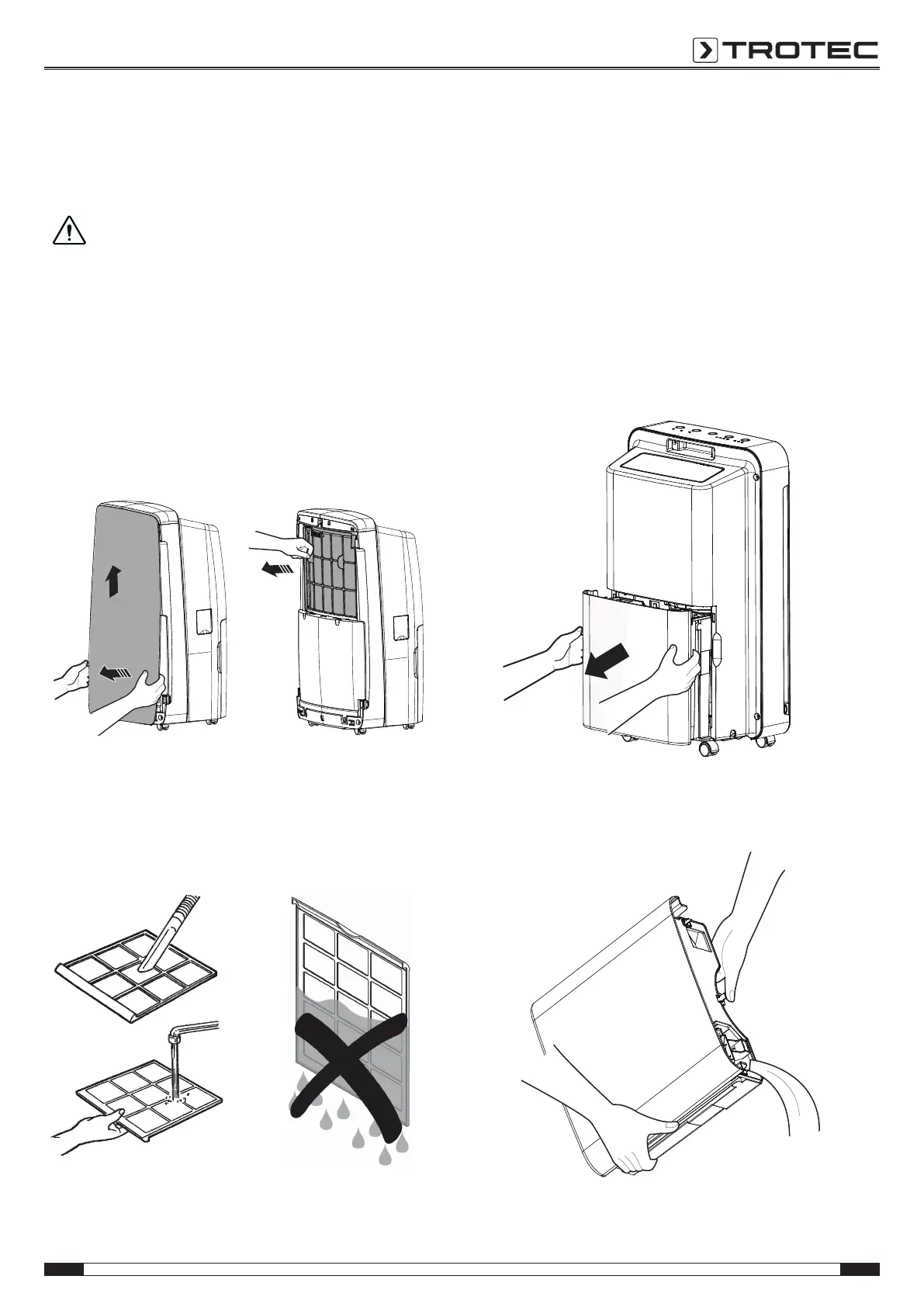
Cleaning the air filter
The air filter must be cleaned when it is dirty or when the Filter
Cleanindication(15) is illuminated. This is brought to light e.g.
by a reduced cooling capacity (see chapter Errors and faults).
Caution!
Ensure that the air filter is not worn or damaged. The
corners and edges of the air filter must not be
deformed or rounded. Before reinserting the air filter,
make sure that it is undamaged and dry!
ü The device is switched off and disconnected from the
mains.
1. Press the lateral holders of the front part in the lower
section of the device inwards.
2. Carefully pull the front part off at the bottom and remove it
by pushing it upwards
3. Pull the fastenings of the air filter outwards to remove the
filter.
4. Clean the filter by means of a soft, lint-free, slightly
moistened cloth. Should the filter be heavily soiled, clean it
using warm water and a neutral detergent.
5. Allow the filter to dry completely. Never insert a wet filter in
the device.
6. Reinsert the filter and push the air filter down until it clicks
into place.
7. Reattach the housing's front section.
8. To carry out a filter reset, press the buttons Fan(21) and
Humidity(19) simultaneously.
ð The Filter Clean indication(15) disappears.
Emptying the condensation tank
Once the condensation tank is full, the device stops the
dehumidification operation and switches itself off. The Water
Fullindication (14) is illuminated.
1. Take the condensation tank out of the device.
2. Empty the condensation tank over a drain or sink.



 To Next Page