CHAPTER 4: PROGRAMMING & OPERATION
Truefitness.com / 800.426.6570 / 636.272.7100 19
CONSOLE OVERVIEW (continued):
Warning Decal:
Important safety information for users to review prior to using the equipment.
Start:
Allows the user to begin a Quick Start workout or preset workout.
Workout Keys:
Allows the user to select one of the preset workouts.
Workload Keys:
Manually increases or decreases the workout intensity.
Numeric Keypad:
A small panel of keys on the console that allow the user to quickly enter numeric data.
Enter:
Press this key to confirm a selection in a preset workout.
Change Display:
Toggles the displayed values in the upper console display.
Lower Console Display:
Displays the workout profile of the current program.
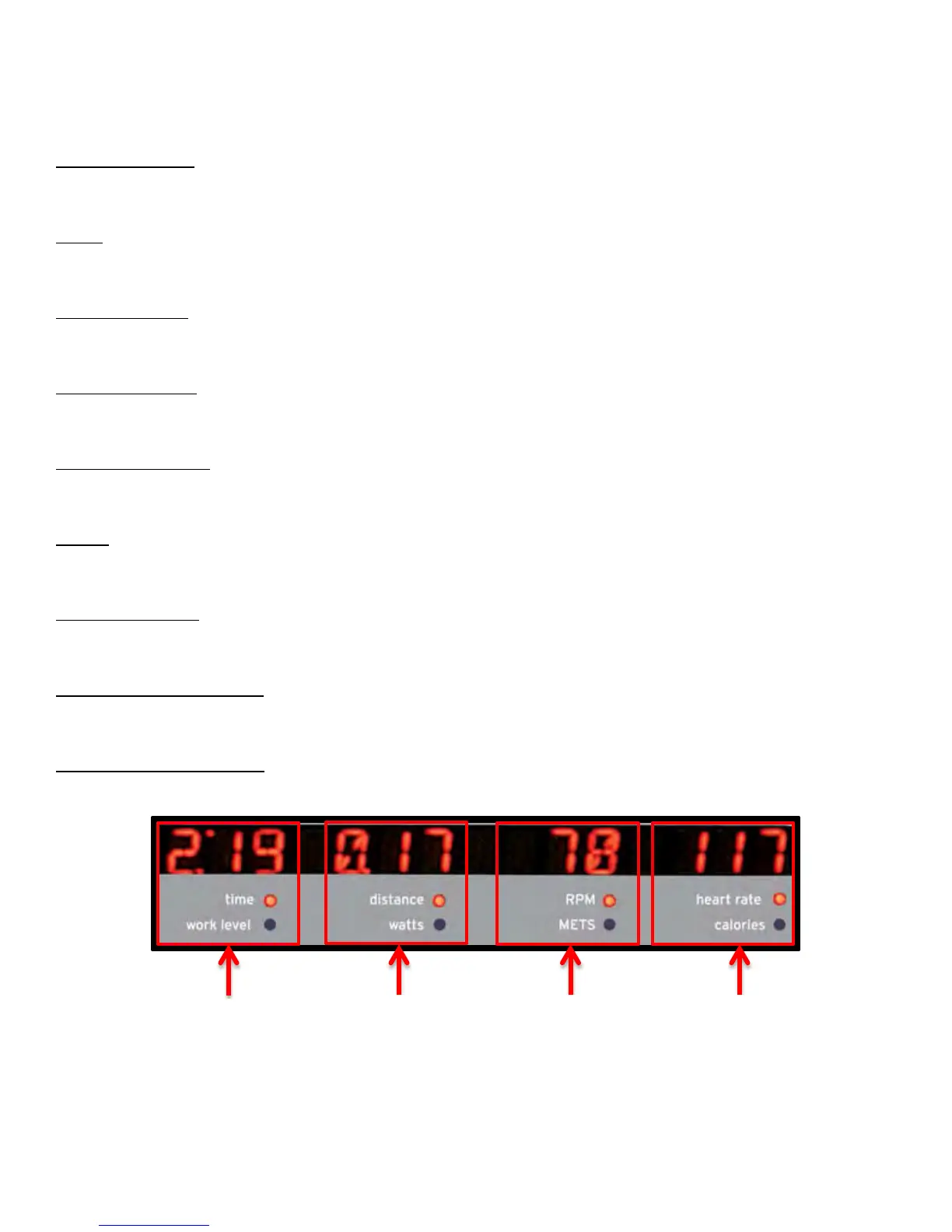
Upper Console Display:
Shows the workout data of the program in progress in four value displays.


 To Next Page