36
STEP 4—ATTACH ACRYLIC SHROUDS TO UPRIGHT ASSEMBLY CONTINUED
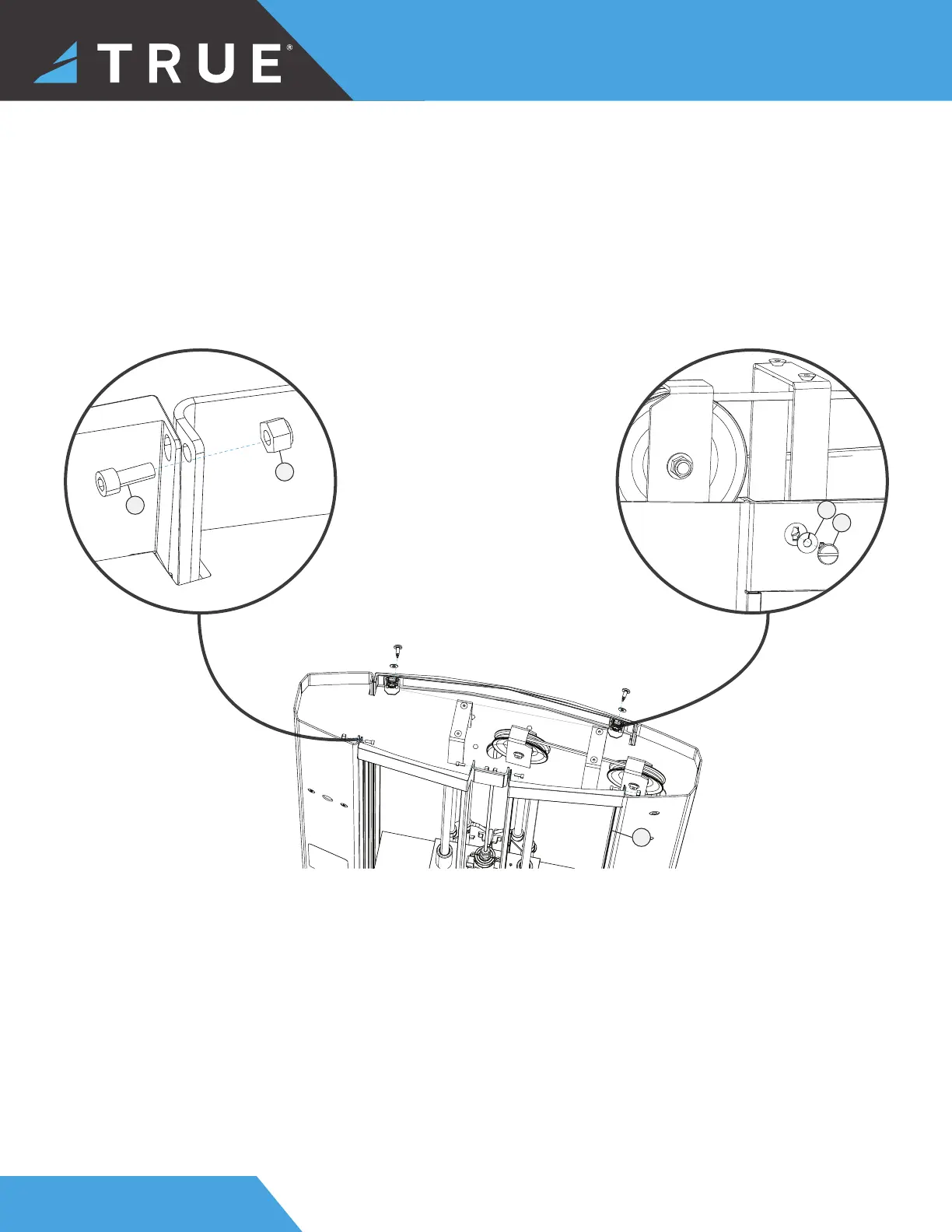
b. Assemble the acrylic front shrouds and insert them into the upright assembly using a rubber mallet.
c. Using an allen wrench and a socket wrench or open end wrench, insert and tighten the 4 hex screws and 4 lock nuts
into the front shrouds.
d. Assemble the acrylic rear shroud and insert it into the slots of the upright assembly.
e. Using a fl at head screwdriver, insert and tighten the 2 twist lock screws and 2 lock washers into the rear shroud.
5
4
6
7
2


 To Next Page