13
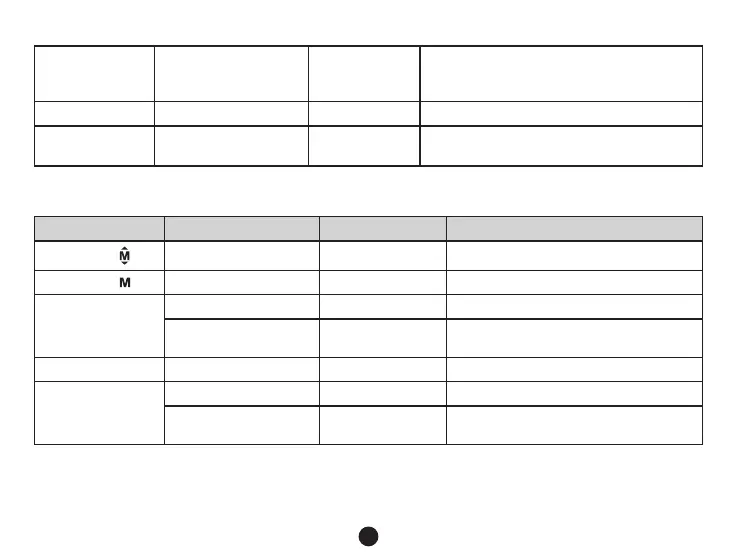
Up button
Up /
Speedometer on / off
Short press
Up button in menu settings
In recording mode or standby mode, press to
turn the speedometer on / off
OK button Video record Short press Start/stop video recording
Down button Down/mute Short press
Down button in menu settings
Start/stop voice recording in recording mode
Button functions in playback mode
Button Function Action Remark
Menu button Menu setting Short press Enter menu list
Mode button Switch mode Short press Switch video/playback mode
Up button
1) Previous le Short press Previous le
2) Rewind Short press
When playing video, press this button to
rewind
OK button Play/pause video le Short press Play/pause video le
Down button
1) Next le Short press Next le
2) Fast forward Short press
When playing video, press this button to
fast forward play


 To Next Page