18
Odtwarzacz DVR Player
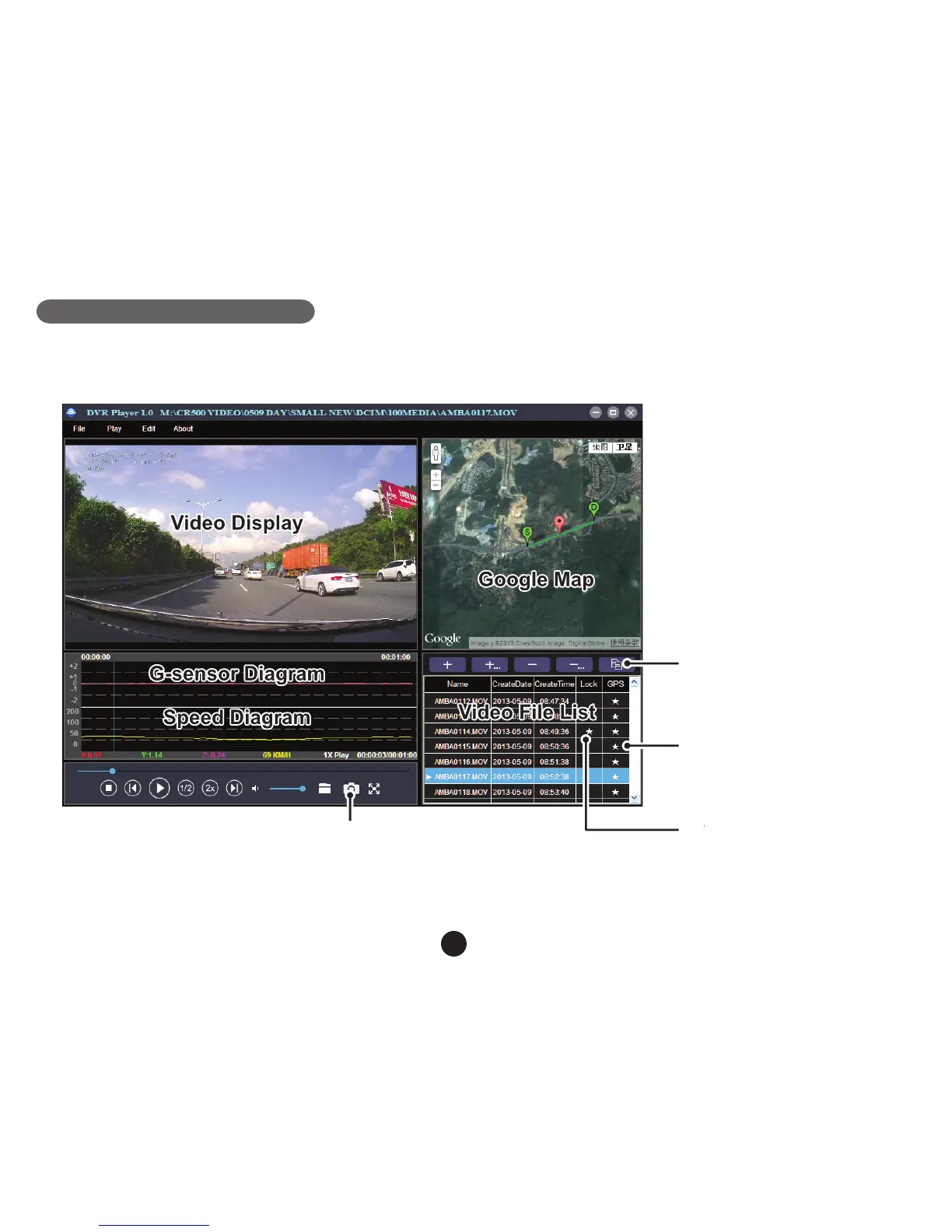
Kiedy przeglądniesz zawartość TF karty w swoim komputerze, znajdziesz na niej DVR odtwarzacz. DVR Player
wyświetli się w następującej postaci:
oznacza, że wideo zawiera
współrzędne GPS.
oznacza, że wideo jest
zabezpieczone.
This button will copy the files
to any folder.
This button indicates that
the file is locked.
This button indicates that the
file contains GPS coordinates.
The captured picture will be stored in “DVRPlayer_Images” folder.
Wciskając ten przycisk,
skopiujesz plik wideo do
jakiegokolwiek folderu.
Wskazówka: Przed uruchomieniem odtwarzania zainstaluj Apple QuickTime, Microsoft DirectX 9.0C Internet
Explorer w wersji 7.0 lub nowszej.
Wykonane zdjęcie będzie zapisane w folderze "DVRPlayer_Images".



 To Next Page