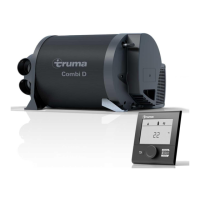
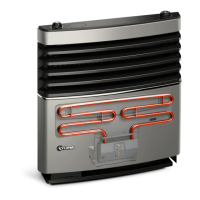
8
Faults
Faults – Heater
Descriptions of possible fault causes and a troubleshooting
guide can be found in the operating instructions for the con-
trol panel that is installed.
Faults – Water supply
Possible fault causes and a troubleshooting guide – See
“Troubleshooting guide (water supply)”.
Troubleshooting guide (water supply)
Fault Cause / Rectification
Water taking an extremely
long time to heat up.
Water container furred. /
Descale water system (see
maintenance).
Water running away – hot
water system cannot be
filled.
Drain valve open. / Close Drain
valve.
Hot water system cannot
be drained, even though the
drain valve is open.
Drain valve drainage socket
closed. / Check opening for
soiling (slush, ice, leaves etc.)
and remove if necessary.
Water dripping/flowing
from drainage socket of
drain valve.
Water pressure too high. /
Check pump pressure (max.
280kPa). If the hot water sys-
tem is connected to a central
water supply (rural or urban
connection), a pressure reduc-
er must be used, which will
prevent pressures higher than
280 kPa from occurring.
When opening the cold
water tap, hot water comes
out.
Hot water flows back
through the cold water
supply. / Fit a non-return valve
in the cold water supply (refer
to installation instructions
“Water connection”).
If these measures do not resolve the fault, please con-
tact the nearest Dometic Service.
Accessories
Truma CP plus
Digital control panel Truma CP plus (part no. 36021-01)
with automatic air conditioning system for the iNet-capable
Trumaheaters Combi and Truma air conditioning systems
AventaEco, Aventa comfort (from serial number 24084022 –
04/2013), Saphir Comfort RC and Saphir compact (from serial
number 23091001 – 04/2012)
– The automatic air conditioning system automatically con-
trols the heater and the air conditioning system until the
required temperature is reached in the vehicle.
– With the Truma iNet Box extension, all TIN-Bus-capable
Truma devices can also be controlled via the Truma App.
Fig. 7
Truma iNet Box
The Truma iNet Box (part no. 36400-01) for simple network-
ing and control of Truma devices with a smartphone or tablet
computer using the app.
– Simple installation and start-up via the Truma App
– Can be extended with the update function, which ensures
that it is always up to date.
Fig. 8
Accessories (without picture) for control panel
– Cable available in different lengths


 To Next Page
 Loading...