20
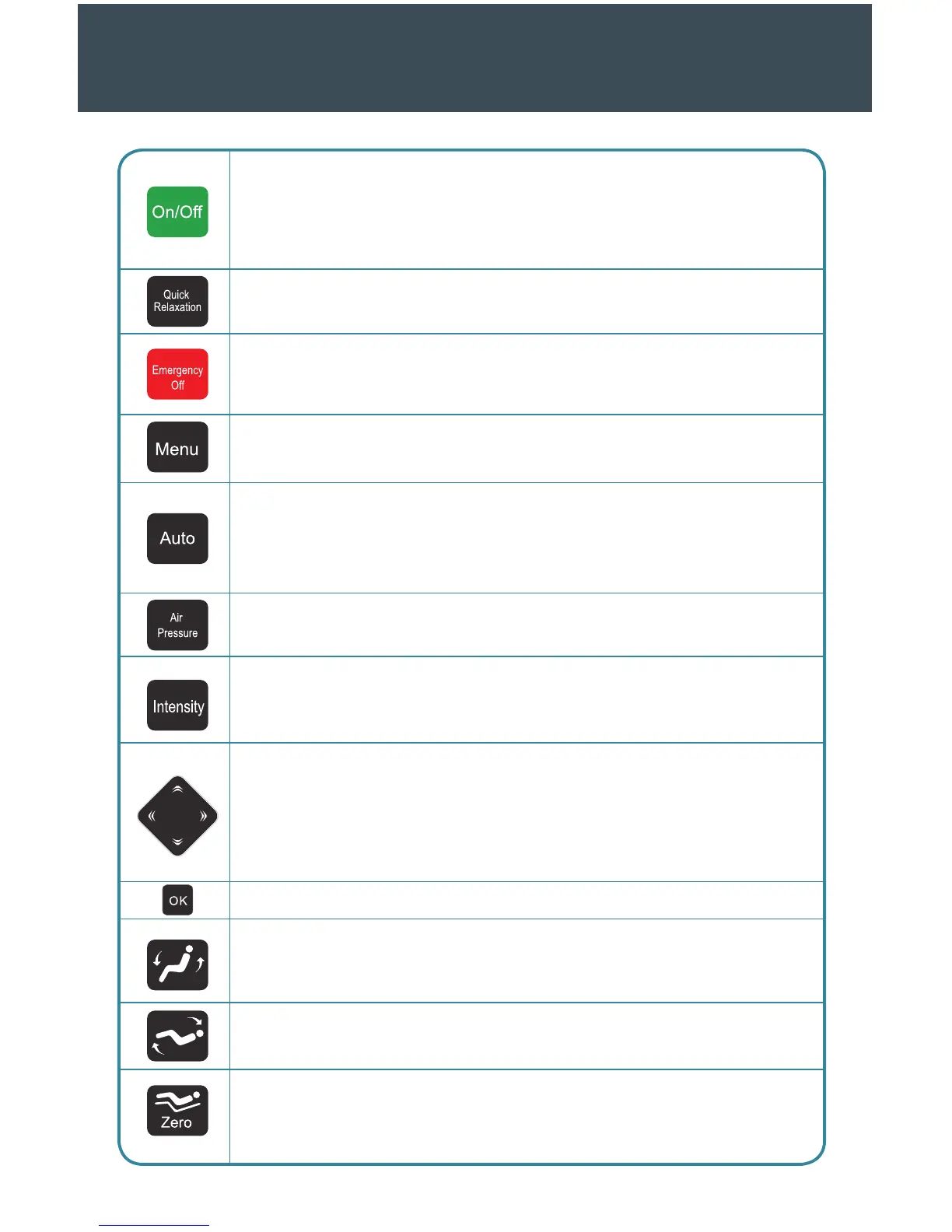
1. On/O. Press this button to start actively using your chair. Make sure the chair is
plugged in, and press the ON switch on the chair to begin your massage session. If you
press this button while the chair is functioning, it will return to its default position and
turn o. The remote will also turn o within three to five seconds.
2. Quick relaxation. Use this button to initiate an automatic eight-minute program
focused on relaxation.
3. Emergency o. This button will stop all massage functions, and the chair will return
to its default position and turn o. To return to your massage, restart the remote
control using the On/O button.
4. Menu. Press this button to explore the numerous functions available. To exit the
menu, press the button once more.
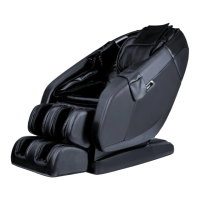
5. Auto. The MC-1000 is equipped with six automatic programs available through this
button. With each subsequent push, you can switch the current program. Automatic
programs are “Recovery,” “Pain Relief,” “Stretch,” “Rocking Relax,” “Overall,” and
“Health Care.” Look at the LCD screen to see the program currently running.
6. Air pressure. Use the air pressure button to choose an air pressure position and
change air pressure settings as indicated on the display.
7. Intensity. Press this button to adjust the level of intensity available during air
pressure massages. This massage chair features 3 levels of intensity, as indicated on
the display.
8. The direction pad. Use the four buttons on the direction pad to move up, down,
le, or right on any menu screen. Additionally, you can touch up or down to select
the menu and le or right to go to the previous or next menu screen. During point
massages and aer the acupuncture-point tracking detection test, you may also use
the pad to adjust the massage experience.
9. OK. Use this key to select a menu choice and enter the next screen.
10. Raise backrest and lower leg rest. Hold this button continually to move the
backrest toward a seated position and to lower the leg rest. Release the button to lock
your position of choice.
11. Lower backrest and raise leg rest. Hold this button to recline the backrest and raise
the leg rest. Release the button to lock your position of choice.
12. Zero. Press this button to initiate the zero-gravity position. Your chair will adjust
itself and then stop. If you wish to return to the default position, simply press the Zero
button once more.



 To Next Page