24
Operating Your MC-1000 Massage Chair
Turn On Your Chair
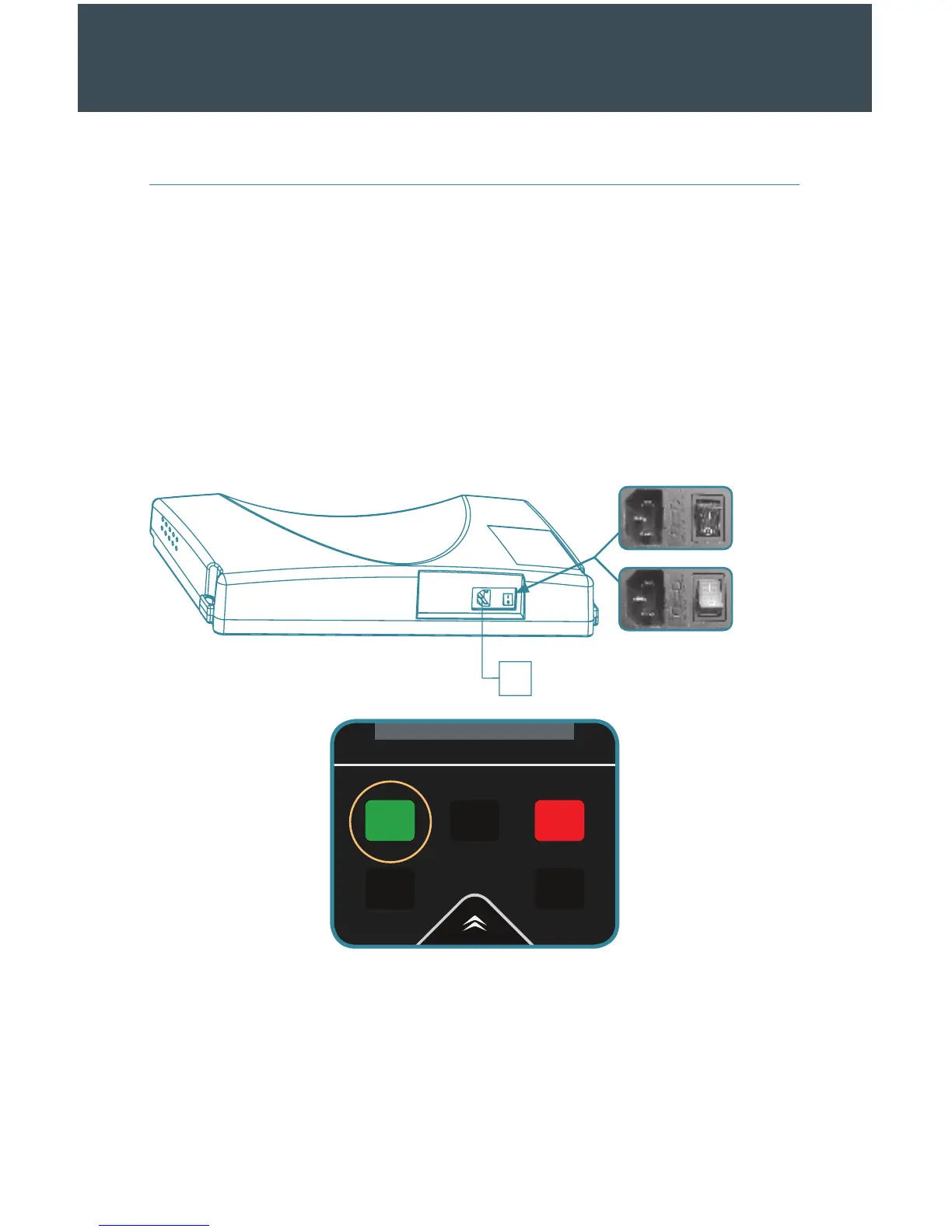
A. The plug at one end of the power cord goes into hole “a.”
B. Attach the plug at the other end of the power cord into the wall outlet.
C. Press the “1” on the power switch to provide the chair with electricity.
D. Press the green On/O button on the remote control. You should hear a short
beep, and the main screen will appear.
a
O
On
Starting and Ending Your Massage
A. Choose your massage setting. Refer to the Remote Control Usage Guide for more
information.
B. Aer a massage session ends, the chair will return to its default position and
then shut down. The remote control will read “shutting down” and will power o
aer two to three seconds.
OPERATION



 To Next Page