28
Aer a massage session, remember to press the On/O key on
the remote control. Always turn o and unplug the chair to avoid
electricity-related accidents. Keep the chair away from moisture,
dirt, and direct sunlight.
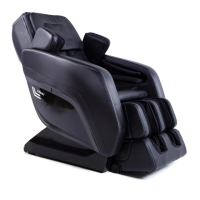
Cleaning and Maintaining the MC-1000
Follow these instructions as needed to keep your chair clean and well maintained
Cleaning the Synthetic Leather Surfaces
General Cleaning
• Wipe down your chair regularly with a dry, so, clean cloth.
• Do not use chemical or medical-grade cleaners on synthetic surfaces.
For Deep Cleaning
• Use a water-based solution containing 3–5% natural detergent and a so cleaning
cloth. Squeeze excess liquid from the cloth before cleaning your chair.
• Wipe down PU leather surfaces with this solution.
• Remove excess moisture with a dry cloth.
• Allow your chair to dry fully before using. Do not use a hair dryer or other blower
implement to dry your chair.
Cleaning the Cloth Surfaces:
• Use the same weak, natural solution you used to wipe down PU leather surfaces.
Wring out your cloth or brush before applying it to the surface of the chair. Note: do
not use harsh chemicals or substances such as gas, diluent, or alcohol.
• Gently use brushing movements to clean the surface. Note: using excessive
pressure may weaken or damage the cloth.
• Wipe down the surface with a clean damp cloth and then a clean dry cloth.
• Allow the surface to fully dry before using.
CLEANING AND MAINTENANCE



 To Next Page