EasyManua.ls Logo

Trumpf TruSystem 7000 - User Manual

Trumpf TruSystem 7000
110 pages
Print Icon
To Next Page IconTo Next Page
Loading...
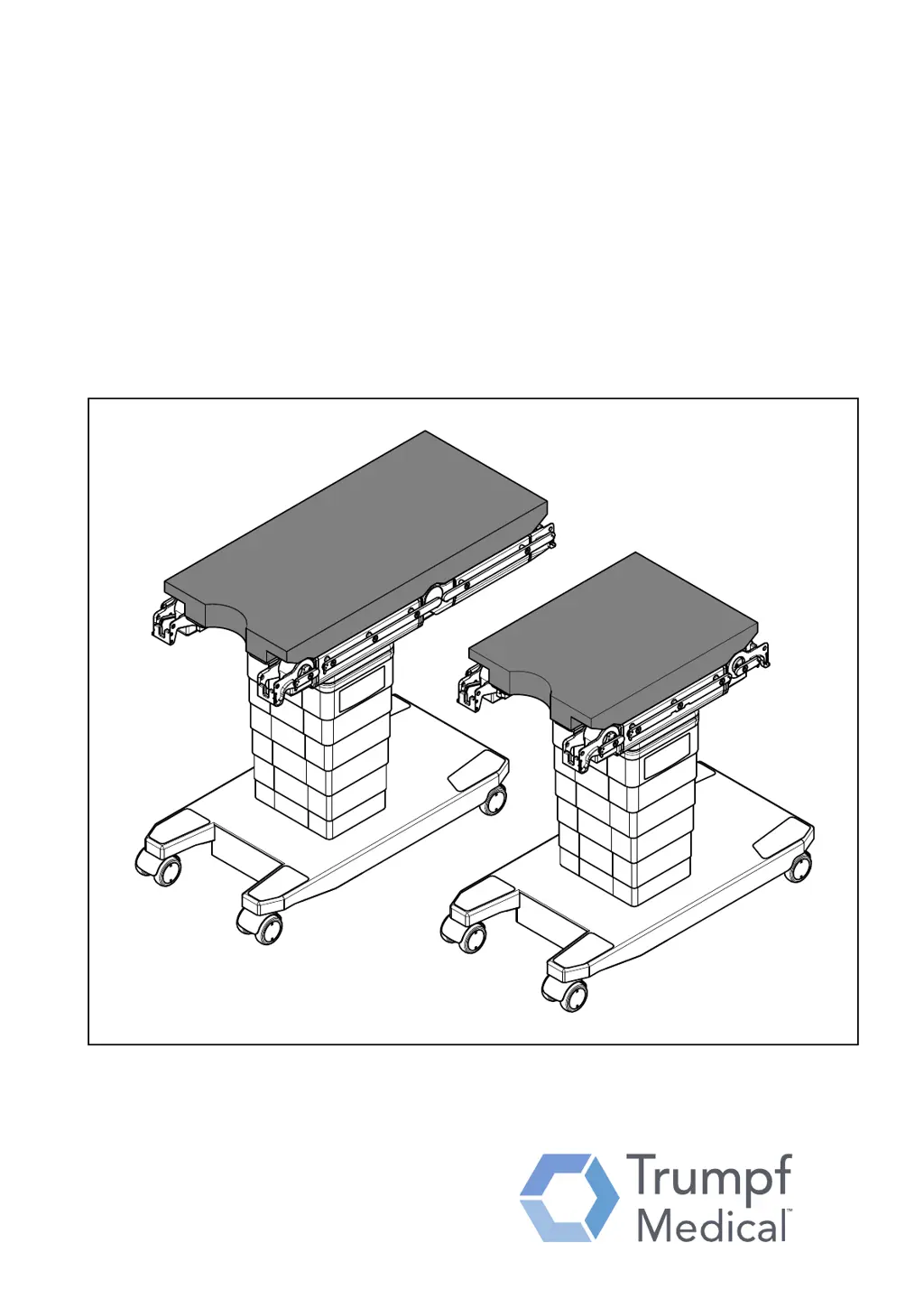
TruSystem 7000 Operating Table
Instruction manual

Table of Contents

Other manuals for Trumpf TruSystem 7000

Questions and Answers

  • M
    mchangAug 17, 2025
    How to fix no response on Trumpf Medical Equipment column keypad?
    • J
      jonathan54Aug 17, 2025
      If the Trumpf Medical Equipment column keypad is not responding, the key lock may be active. To resolve this, release the keypad or simultaneously press the ON key and the function key you need on the column keypad.
  • T
    tdurhamAug 19, 2025
    What to do if the Trumpf TruSystem 7000 battery flashes and there is no response?
    • A
      Anne WoodwardAug 20, 2025
      If the battery status display on the column keypad of your Trumpf Medical Equipment flashes and there's no response when pushing a button, the operating table may be discharged. Operate the operating table with line power and recharge the column batteries to solve this issue.
  • S
    Sheila FitzgeraldAug 22, 2025
    Why Trumpf TruSystem 7000 operating table cannot be unlocked?
    • T
      Tim RyanAug 23, 2025
      If you cannot unlock the Trumpf Medical Equipment operating table, ensure that the tilt is in a horizontal position (less than 5°), the longitudinal travel is in a level position, and the lift is in the center position. Adjust these settings accordingly to unlock the table.
  • F
    Frank ButlerAug 26, 2025
    How to turn on Trumpf TruSystem 7000 operating table?
    • B
      Billy SandovalAug 26, 2025
      If you experience no function when pressing a key on your Trumpf Medical Equipment, the operating table might not be switched on. Press the power button on the column keypad to turn it on.
  • A
    Alec DanielAug 28, 2025
    What to do if Trumpf Medical Equipment operating table cannot be switched on?
    • K
      karenjohnsAug 28, 2025
      If the Trumpf Medical Equipment operating table cannot be switched on, it may be discharged. Run the operating table with line power and recharge the column batteries.
  • D
    Daniel StewartAug 31, 2025
    Why Trumpf TruSystem 7000 Medical Equipment drive mode does not operate with wired remote control?
    • J
      Joseph WilsonAug 31, 2025
      If the Trumpf Medical Equipment drive mode isn't working with the wired remote control, check if the power cable is connected to the operating table. Disconnect it from the line power.
  • T
    Thomas ReevesSep 2, 2025
    How to adjust Trumpf TruSystem 7000 leg sections down?
    • S
      Stephanie HortonSep 2, 2025
      If the leg sections of your Trumpf Medical Equipment are not adjusting down far enough, the longitudinal travel might be too far toward the head end. Adjust the longitudinal travel toward the foot end.
  • M
    Mr. Joshua WilliamsSep 5, 2025
    How to adjust Trumpf Medical Equipment back section down?
    • H
      hevansSep 5, 2025
      If the back section of your Trumpf Medical Equipment is not adjusting down far enough, the longitudinal travel might be too far toward the foot end. Adjust the longitudinal travel toward the head end.
  • M
    Michelle GillSep 8, 2025
    Why full Anti-Trendelenburg/Trendelenburg travel not possible on Trumpf Medical Equipment?
    • D
      David TranSep 8, 2025
      If full Anti (Reverse)- Trendelenburg/Trendelenburg travel is not possible on your Trumpf Medical Equipment, the tilt setting may be too high. Reduce the tilt.
  • M
    Michael JohnsonSep 12, 2025
    Why is full tilt not possible on Trumpf TruSystem 7000 Medical Equipment?
    • A
      asweeneySep 12, 2025
      If full tilt is not possible on your Trumpf Medical Equipment, the Anti (Reverse)-Trendelenburg/ Trendelenburg setting may be too high. Reduce the Anti (Reverse)- Trendelenburg/Trendelenburg.

Summary

Safety

Safety Definitions

Explanation of keywords and symbols used in safety information.

Safety Instructions

General safety guidance for operating personnel and patients.

General Handling Safety

Covers general handling, setup, and usage of the operating table.

Patient Hazard Warnings

Warnings for improper attachment and damaged product hazards.

Electrical Safety Precautions

Safety measures related to electricity, power supply, and wiring.

Cable and Bonding Safety

Safety concerning power cables, bonding cables, and potential damage.

HF Surgery and Defibrillator Safety

Safety precautions when using HF surgery devices and defibrillators.

Pad Safety Guidelines

Safety considerations for using and attaching the operating table pad.

Transport and Repositioning Safety

Safety instructions for moving and repositioning the operating table.

Collision and Entrapment Hazards

Safety warnings regarding collisions and entrapment during adjustments.

Maintenance and Repair Safety

Safety guidelines related to maintenance and repair procedures.

Infection Prevention Safety

Guidelines for preventing infection during use and maintenance.

Environmental Protection

Information on environmentally friendly disposal and material handling.

Product Pictograms Details

Explanation of pictograms and labels on the operating table.

Important Information

Manual Usage and Glossary

Guidance on reading the manual and definitions of terms.

Proper Use of Equipment

Information on the intended use and limitations of the operating table.

Key Performance Feature

Description of the device's main operational characteristic.

Unpacking and Setup

Initial Setup Procedure

Step-by-step instructions for unboxing and setting up the operating table.

Operating Table Overview

Two-part Table Top Description

Details and features of the two-part table top configuration.

Component Identification Key

Identification of various parts and components of the operating table.

One-part Table Top Description

Details and features of the one-part table top configuration.

Model Plate Information

Explanation of the information presented on the product's model plate.

Acoustic Signals and Indicators

Description of audible signals and their meanings.

Pad

Permissible Pad Versions

Lists the approved pad versions for the operating table tops.

Attaching and Removing Pads

Instructions for installing and removing the operating table pads.

Control Units

Column Keypad Overview

Description of the column keypad and its primary functions.

Column Keypad Function Mapping

Detailed mapping of functions to keys on the column keypad.

Optical Indicator Meanings

Explanation of the various optical indicators and their states.

Wired Remote Control Functions

Details and functions of the TruSystem 7000 wired remote control.

Wireless Remote Control Functions

Details and functions of the TruSystem 7500 wireless remote control.

Malfunctions from Other Devices

Interference from External Devices

How other medical or non-medical devices can cause malfunctions.

Power Supply

Internal Battery Power

Information on the internal lithium-ion batteries and their capacity.

External AC Power Connection

Connecting the operating table to the mains power supply.

Connecting to Power Supply

Step-by-step instructions for connecting the operating table to power.

Disconnecting from Power Supply

Instructions for safely disconnecting the operating table from power.

Charging the Operating Table

Procedure for charging the operating table's battery.

Equipotential Bonding

Equipotential Bonding Procedure

Steps for connecting the equipotential bonding cable.

Switching On and Off

Turning the Table On

Procedure for switching the operating table on.

Turning the Table Off

Procedure for switching the operating table off.

Resetting the System

Reset Procedure

Instructions for resetting the operating table in case of unexpected behavior.

Coupling Points

Definition of Coupling Points

Explanation of what coupling points are and their purpose.

Coupling Point Overview

Overview of different types of coupling points and fixtures.

Coupling Points on Side Rails

Details on attaching accessories to side rails using clamps.

Coupling Points on Two-Part Table Top

Locations of coupling points on the two-part table top.

Coupling Points on One-Part Table Top

Locations of coupling points on the one-part table top.

Using as Extension Table

Extension Table Setup and Restrictions

How to use the table as an extension and applicable restrictions.

Attaching Section Segments

Section Segment Without Locking

Procedure for attaching section segments without additional locking.

Section Segment With Release Button

Procedure for attaching section segments with a release button.

Section Segment With Release Handle

Procedure for attaching section segments with a release handle.

Removing Section Segments

Procedure for detaching section segments from the table top.

Attaching Accessories

Attaching Accessories to Side Rails

Steps for attaching accessories to the side rails of the table.

Removing Accessories

Steps for safely removing accessories from the side rails.

Radiolucence

X-ray Area and Cassette Rails

Information on radiolucent areas and rails for X-ray cassettes.

Patient Positioning

Normal Patient Positioning

Guidelines for correctly positioning the patient on the table.

Inverse Patient Positioning

Guidelines for positioning the patient in the inverse orientation.

Load Capacity

General Load Limits

General warnings and permissible load limits for the table.

Overload Protection and Symbols

How overload is detected, indicated, and protected.

Two-Part Table Top Load Specs

Load capacities for various two-part table top configurations.

One-Part Table Top Load Specs

Load capacities for various one-part table top configurations.

Side Rail Torque Limits

Maximum permitted torque values for the side rails.

Calculating Torque on Side Rails

Formula and table for calculating torque on side rails.

Controlling the Operating Table

General Table Adjustment Steps

General steps for adjusting the operating table functions.

Collision Avoidance Safety

Safety measures to prevent collisions during table movements.

Key Release Operation

Procedure for releasing and locking the column keypad.

Head Position Selection

How to select and match the patient's head position.

Level Position Operation

Procedure for setting the operating table to a level position.

Tilt Operation

How to tilt the operating table top left or right.

Trendelenburg Operation

How to incline the operating table top towards head or foot.

Lift;Lower Operation

How to raise or lower the entire operating table top.

Longitudinal Travel Operation

How to move the table top towards the foot or head end.

Leg Section Joint Operation

Instructions for adjusting the leg section joints.

Back Section Joint Operation

Instructions for adjusting the back section joints.

Flex;Reflex Position Operation

How to achieve Flex and Reflex positions using the remote control.

Configuration Settings

Configuring Table Settings via PC

Settings configurable via PC and the Trumpf Medical Software Service Interface.

Travel Behavior

Running Gear Functions

Overview of functions related to the operating table's running gear.

Pre-Movement Preparation

Steps required before unlocking, rotating, and moving the table.

Unlocking Table Brake

Procedure for releasing the operating table's brake.

Freewheel Mode

Enabling free movement of the operating table wheels.

Running Gear Assistance

Using assistance for directional movement and turning the table.

Traction Drive Operation

Operation of the traction drive for MB/MBW table versions.

Locking Table Brakes

Procedure for locking the operating table using braking jacks.

Emergency Release Procedure

Manual procedure for releasing the running gear in emergencies.

Emergency Mode

Emergency Mode Activation

How to manually activate the emergency mode on the operating table.

Care, Cleaning, and Disinfection

Cleaning and Disinfection Procedures

General procedures for cleaning and disinfecting the operating table.

Disinfectant Usage Guidelines

Guidelines for using specific disinfectants and cleaning agents.

Technical Data

Storage and Transport Environmental Conditions

Environmental requirements for operating table storage and transport.

Table Specifications and Dimensions

Technical specifications including dimensions, weight, and power.

Movement Ranges and Safety Classification

Adjustment ranges, classifications, and protection levels.

Cable Specifications and Repair

Details on approved cables and policies for repairs.

Troubleshooting

Troubleshooting Common Errors

Table of common errors, their possible causes, and corrections.

Troubleshooting Specific Issues

Handling of specific issues like tilt, unlock, or leg section adjustments.

Maintenance and Repair

Maintenance Schedule and Service

Guidelines for service intervals and recommendations for maintenance contracts.

Disposal

Product Disposal Guidelines

Instructions for environmentally friendly disposal of the table and its components.

EMC Verification

EMC: Interference Guidelines

Guidelines for emitted electromagnetic interference.

EMC: Immunity Guidelines

Guidelines for immunity to power supply variations and magnetic fields.

EMC: RF Immunity Guidelines

Guidelines for immunity to RF fields and recommended protection ratios.

EMC: RF Separation Distances

Recommended separation distances for RF telecommunication equipment.

Ordering Additional Equipment

Ordering Accessories and Segments

Information on ordering section segments and accessories.

Radio License (MBW Version)

Radio License: Canada;USA

FCC and Industry Canada identification details for the MBW version.

Radio License: Morocco;UAE

ANRT and TRA registration details for Morocco and UAE.

Trumpf TruSystem 7000 Specifications

General IconGeneral
BrandTrumpf
ModelTruSystem 7000
CategoryMedical Equipment
LanguageEnglish

Related product manuals