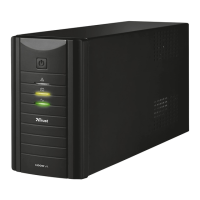
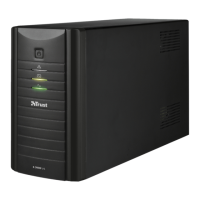
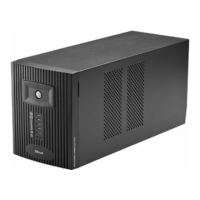
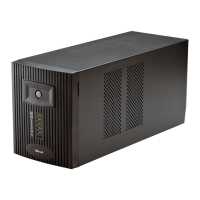
TRUST 1000 UPS ENERGY PROTECTOR
For the first time use, see QIG (Quick Installation Guide).
UK
1 Introduction
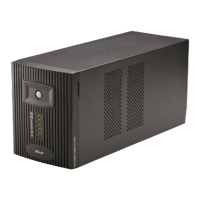
This instruction manual is for users of the TRUST UPS ENERGY PROTECTORS,
models 1000. These energy protectors can be used as a back-up power supply for
your PC during power cuts. These energy protectors also provide protection against
extreme power surges and filter the mains supply, so that your devices receive a
constant voltage.
2 Safety
Carefully read the following instructions before use.
- Disconnect the power plug from the mains supply before cleaning the device.
Do not use a liquid cleaner or a spray to clean the device. Clean the device
with a dry cloth.
-
Do not use aggressive substances, such as white spirit, to clean the device.
These may harm the material.
- Do not submerge the device in liquid. This may be dangerous and will damage
the device.
- Keep this device away from liquids, such as water.
- Do not use this device in a damp environment, such as a bathroom, damp
basement or swimming pool.
- Do not use this device in combination with non-computer related items, such
as medical equipment, microwave ovens, vacuum cleaners, etc.
- Make sure the UPS is placed on a firm surface, such as your desk or the floor.
- ALWAYS use the UPS with an earthed plug socket.
- Do not connect a multiple socket to the UPS input.
- Make sure nothing is placed on the cable. Do not use this device in an area
where the cable can become worn or damaged as a result of people walking
over it.
- Never cover the UPS to avoid overheating. Keep the UPS out of the reach of
heat sources, such as the sun, heaters, etc.
-
Never insert objects into the slits on the front of the UPS, because you may
touch live components. This may cause a fire or give you an electric shock.
- The outputs may have a high voltage, even when the device is turned off.
- Keep the UPS at least 20 cm from your monitor.
-
Do not repair this device yourself. If you open this device, you may touch live
components.
- Under the following circumstances, remove the plug from the power socket
and have the device repaired by qualified personnel:
- The cable or plug is damaged.
- The device has been dropped or the casing has been damaged.
- The device is clearly not operating correctly.
1
UK
DE
FR
IT
ES
PL
NL
PT


 To Next Page