Need help?
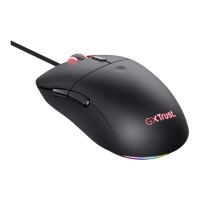
Do you have a question about the Trust GM-4200 and is the answer not in the manual?
Overview of product features and identification of mouse buttons A through G.
Steps for installing the mouse software from CD-ROM.
Connecting the mouse via USB and restarting the computer.
Assigning custom functions to mouse buttons.
Assigning applications to the application wheel.
Recording and assigning keyboard sequences to the macro wheel.
Executing recorded macros using the macro wheel.
Activating continuous shooting mode for mouse buttons.
Recording and replaying routine tasks with a single click.
Tips for adjusting mouse pointer speed and macro usage.
Instructions to avoid damage and ensure safe operation.
Details on product warranty and manual reproduction rights.
 General
| Type | Gaming Mouse |
|---|---|
| Connection | Wired |
| Sensor | Optical |
| Compatibility | Windows |
| Cable length | 1.8 m |

 To Next Page