Need help?
Do you have a question about the Trust GXT 155 and is the answer not in the manual?
Steps for installing the mouse software and drivers from the CD-ROM.
Instructions on connecting the mouse via USB and waiting for device recognition.
Guide to starting the mouse configuration software located in the taskbar.
How to reassign functions to standard mouse buttons using the software.
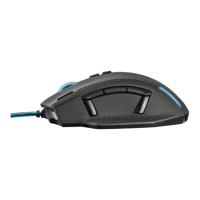
Steps to assign custom functions specifically to the side buttons (7-11).
Instructions for changing DPI levels using sliders and enabling/disabling DPI numbers.
Guide to selecting LED colors, brightness, and breathing speed.
Steps to create new macros by defining key sequences and naming them.
How to start, stop, and manage the recording of keyboard sequences for macros.
Instructions on selecting, saving, and loading custom mouse profiles.
Procedures for resetting all profiles or restoring a single profile to factory defaults.
Table mapping LED colors (Yellow, Green, Blue, Purple, Red) to corresponding profiles (1-5).
 General
| Scroll | Yes |
|---|---|
| Purpose | Gaming |
| Scroll type | Wheel |
| Buttons type | Pressed buttons |
| Buttons quantity | 11 |
| Device interface | USB Type-A |
| Recommended usage | Universal |
| Scrolling directions | Vertical |
| Number of scroll wheels | 1 |
| Movement detection technology | - |
| Form factor | Right-hand |
| Product color | Black, Blue |
| Cable length | 1.9 m |
| Windows operating systems supported | Windows 10 Education, Windows 10 Enterprise, Windows 10 Pro, Windows 7 Enterprise, Windows 7 Enterprise x64, Windows 7 Home Basic, Windows 7 Home Basic x64, Windows 7 Home Premium, Windows 7 Home Premium x64, Windows 7 Professional, Windows 7 Professional x64, Windows 7 Starter, Windows 7 Starter x64, Windows 7 Ultimate, Windows 7 Ultimate x64, Windows 8, Windows Vista Business, Windows Vista Business x64, Windows Vista Enterprise, Windows Vista Enterprise x64, Windows Vista Home Basic, Windows Vista Home Basic x64, Windows Vista Home Premium, Windows Vista Home Premium x64, Windows Vista Ultimate, Windows Vista Ultimate x64, Windows XP Home, Windows XP Home x64, Windows XP Professional, Windows XP Professional x64 |
 Weight and Dimensions
| Weight | - g |
|---|

 To Next Page