Shortcutcommands
★PEAKResetShortcut
★SET(%)Shortcut
DIGIT BAR GRAPH
SELECT
+
MODE
★PATTERNShortcut
SELECT
+
MODE
SELECT
+
MODE
Turn
SETDIAL
Real-time
(boostgauge)display
SET%set-upscreen
Real-time
(boostgauge)display
ResetPEAKvalue
Troubleshooting
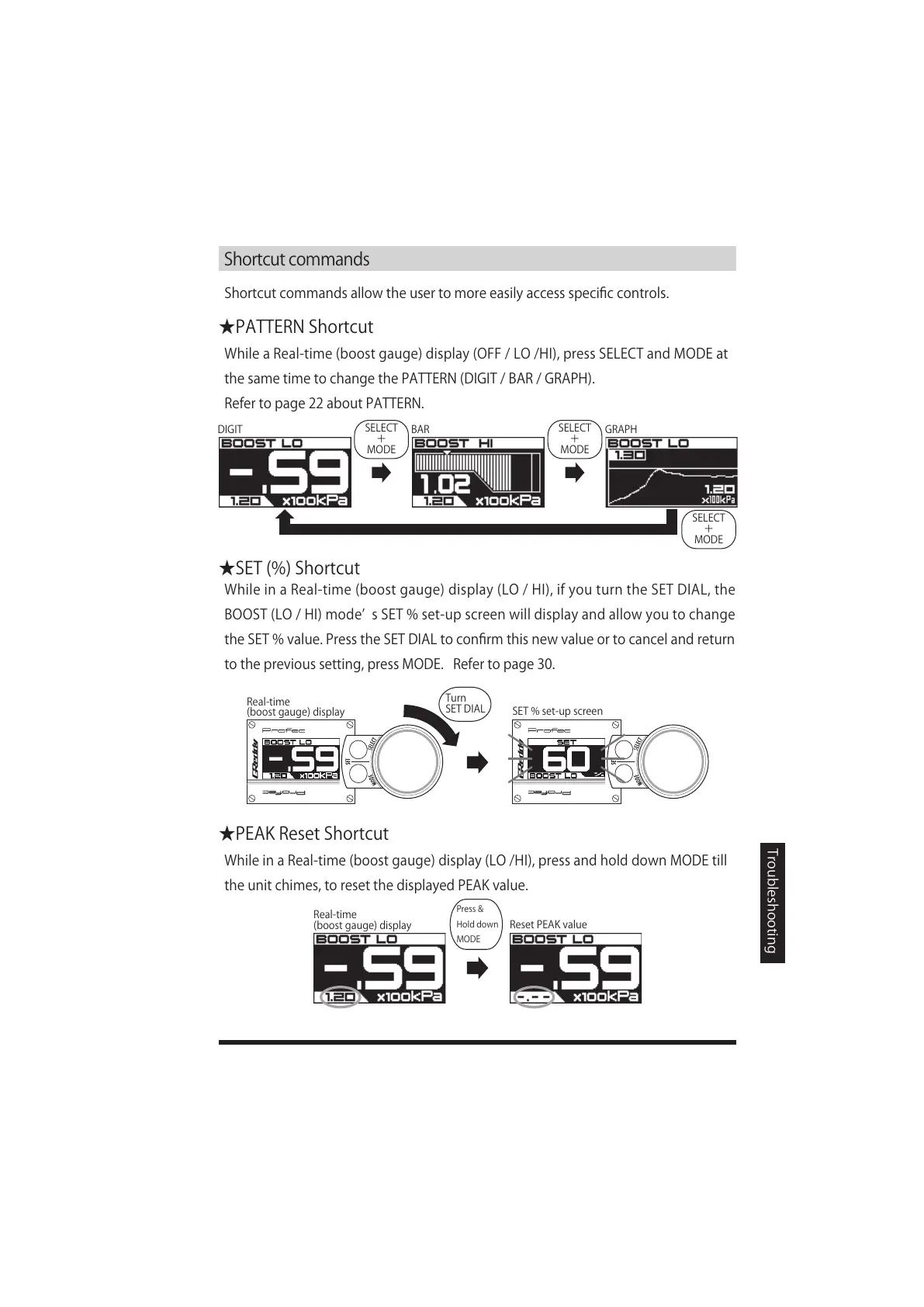
Shortcutcommandsallowtheusertomoreeasilyaccessspecificcontrols.
WhileaReal-time(boostgauge)display(OFF/LO/HI),pressSELECTandMODEat
thesametimetochangethePATTERN(DIGIT/BAR/GRAPH).
Refertopage22aboutPATTERN.
WhileinaReal-time(boostgauge)display(LO/HI),ifyouturntheSETDIAL,the
BOOST(LO/HI)modeʼ sSET%set-upscreenwilldisplayandallowyoutochange
theSET%value.PresstheSETDIALtoconfirmthisnewvalueortocancelandreturn
totheprevioussetting,pressMODE.Refertopage30.
WhileinaReal-time(boostgauge)display(LO/HI),pressandholddownMODEtill
theunitchimes,toresetthedisplayedPEAKvalue.
Press&
Holddown
MODE


 To Next Page