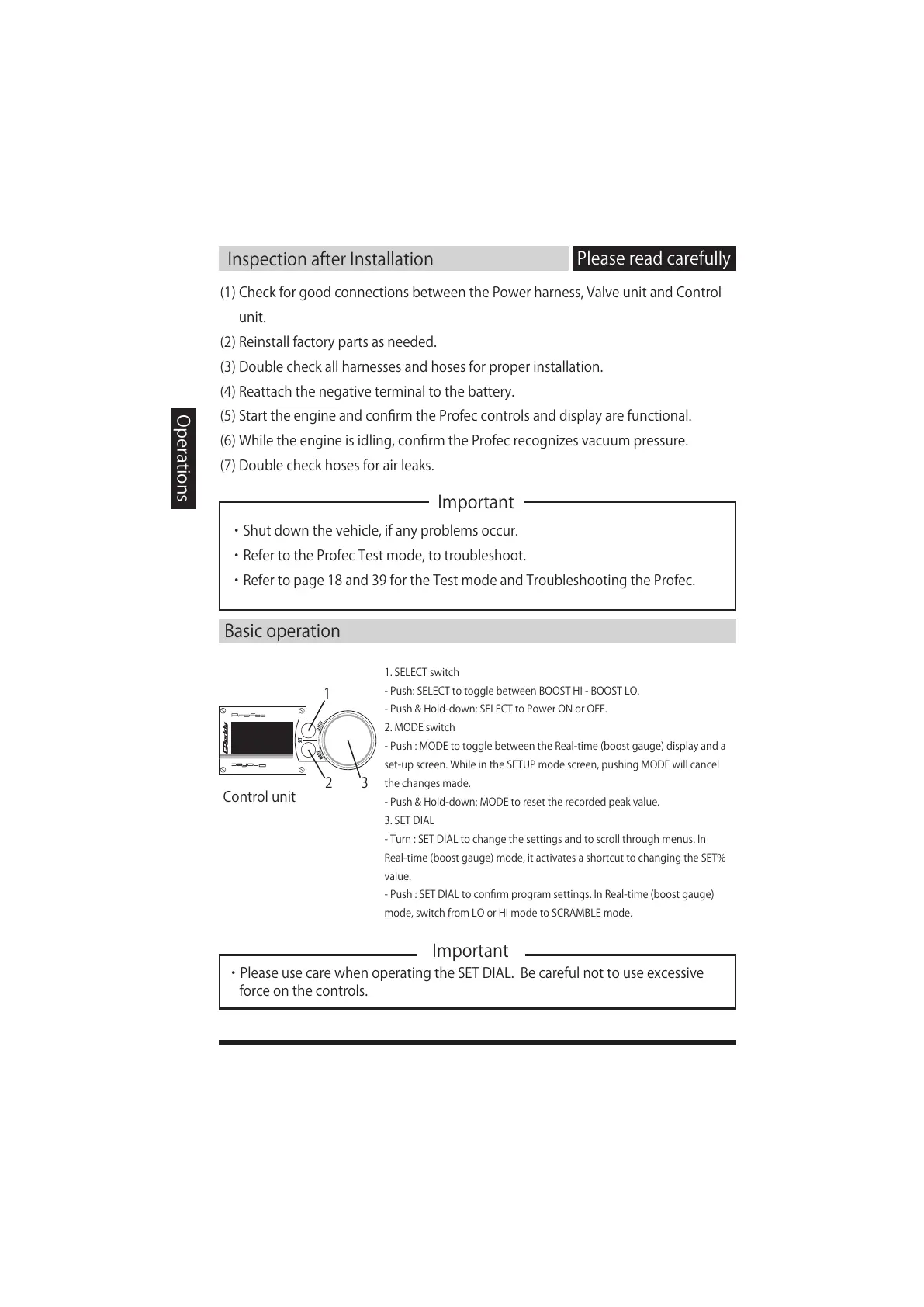
1
2 3
InspectionafterInstallation
Important
Pleasereadcarefully
Operations
(1)CheckforgoodconnectionsbetweenthePowerharness,ValveunitandControl
unit.
(2)Reinstallfactorypartsasneeded.
(3)Doublecheckallharnessesandhosesforproperinstallation.
(4)Reattachthenegativeterminaltothebattery.
(5)StarttheengineandconfirmtheProfeccontrolsanddisplayarefunctional.
(6)Whiletheengineisidling,confirmtheProfecrecognizesvacuumpressure.
(7)Doublecheckhosesforairleaks.
・Shutdownthevehicle,ifanyproblemsoccur.
・ RefertotheProfecTestmode,totroubleshoot.
・ Refertopage18and39fortheTestmodeandTroubleshootingtheProfec.
Basicoperation
Controlunit
1.SELECTswitch
-Push:SELECTtotogglebetweenBOOSTHI-BOOSTLO.
-Push&Hold-down:SELECTtoPowerONorOFF.
2.MODEswitch
-Push:MODEtotogglebetweentheReal-time(boostgauge)displayanda
set-upscreen.WhileintheSETUPmodescreen,pushingMODEwillcancel
thechangesmade.
-Push&Hold-down:MODEtoresettherecordedpeakvalue.
3.SETDIAL
-Turn:SETDIALtochangethesettingsandtoscrollthroughmenus.In
Real-time(boostgauge)mode,itactivatesashortcuttochangingtheSET%
value.
-Push:SETDIALtoconfirmprogramsettings.InReal-time(boostgauge)
mode,switchfromLOorHImodetoSCRAMBLEmode.
Important
・PleaseusecarewhenoperatingtheSETDIAL.Becarefulnottouseexcessive
forceonthecontrols.


 To Next Page