Need help?
Do you have a question about the Trust GXT 285 and is the answer not in the manual?
Controls the brightness of the keyboard's LED lighting.
Sets the LED light color to red, blue, or purple.
Prevents accidental activation of the Windows key during gameplay.
Covers macro key assignment, profile management, and macro recording features.
Manages music playback, track skipping, volume adjustment, and mute functions.
Reassigns a button's function to a single keystroke or mouse button.
Adjusts LED brightness, breathing effects, and selects desired LED colors.
Records and stores sequences of key presses as a macro for later use.
Assigns a created macro to a specific macro key on the keyboard.
Resets all custom user profiles to their factory default settings.
Manages user profiles, including creation, saving, loading, and automatic activation.
Solution for the Windows key failing to function, often related to lock status.
Solution for macro keys failing, typically resolved by activating the correct profile.
 General
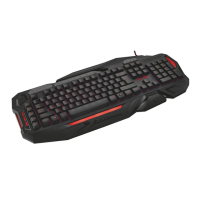
| Purpose | PC/server |
|---|---|
| Keyboard layout | - |
| Device interface | USB |
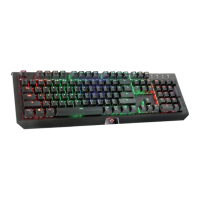
| Recommended usage | Gaming |
| Keyboard key switch | Membrane |
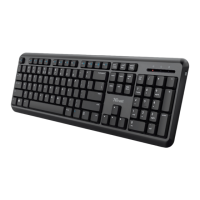
| Keyboard form factor | Full-size (100%) |
| Programmable hot keys | Yes |
| Connectivity technology | Wired |
| Key response time (min) | 16 ms |
| Keyboard number of keys | 116 |
| Number of programming profiles | 3 |
| Number of programmable (macro) keys | 5 |
| Product color | Black |
| Keyboard style | Straight |
| Backlight color | Red/Blue/Purple |
| Cable length | 1.85 m |
| Mouse included | No |
| Windows operating systems supported | Windows 10 Education, Windows 10 Education x64, Windows 10 Enterprise, Windows 10 Enterprise x64, Windows 10 Home, Windows 10 Home x64, Windows 10 Pro, Windows 10 Pro x64, Windows 7 Enterprise, Windows 7 Enterprise x64, Windows 7 Home Basic, Windows 7 Home Basic x64, Windows 7 Home Premium, Windows 7 Home Premium x64, Windows 7 Professional, Windows 7 Professional x64, Windows 7 Starter, Windows 7 Starter x64, Windows 7 Ultimate, Windows 7 Ultimate x64, Windows 8, Windows 8 Enterprise, Windows 8 Enterprise x64, Windows 8 Pro, Windows 8 Pro x64, Windows 8 x64, Windows Vista Business, Windows Vista Business x64, Windows Vista Enterprise, Windows Vista Enterprise x64, Windows Vista Home Basic, Windows Vista Home Basic x64, Windows Vista Home Premium, Windows Vista Home Premium x64, Windows Vista Ultimate, Windows Vista Ultimate x64, Windows XP Home, Windows XP Home x64, Windows XP Professional, Windows XP Professional x64 |

 To Next Page