76
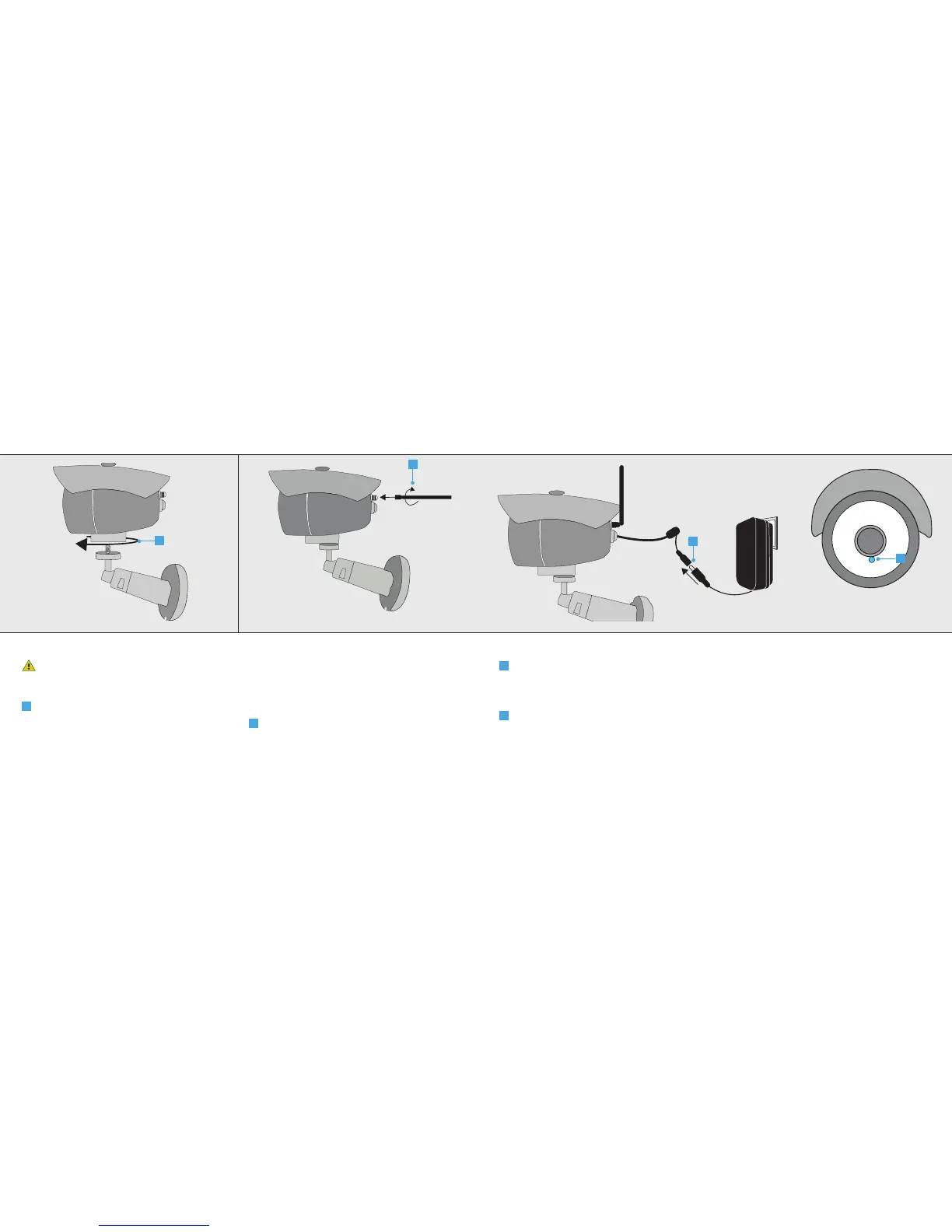
1. Place mounting foot
Place the Outdoor Camera as close to the
Wi-Fi modem/router as possible for optimal
performance.
A
Place the mounting foot by screwing it tightly
on the camera.
2. Connect Wi-Fi antenna
Note: For installation purposes the camera
will need to connect first using Wi-Fi. After
installation the camera can be connected using a
wired network connection
A
Screw the included WiFi antenna tightly on
the antenna connector.
A
A
IPCAM-3000 OUTDOOR CAMERAIPCAM-3000 OUTDOOR CAMERA
3. Connect the power adapter
A
Connect the included power adapter to the
camera connector and insert the plug of the
power adapter into a wall socket. The first
time the camera starts it can take up to a
minute.
B
When the camera is done starting up, the LED
under the lens will be lit blue continuously.
A
B



 To Next Page