EasyManua.ls Logo

Trust WB-6250X - User Manual

Trust WB-6250X
50 pages
Print Icon
To Next Page IconTo Next Page
Loading...
UK
DE
FR
IT
ES
PL
NL
PT
GR
DK
SE
HU
CZ
FI
NO
TR
RU
User’s manual
WB-6250X MEGAPIXEL USB2 WEBCAM
Version 1.0
SK
RO
BU
CN
Question and Answer IconNeed help?

Do you have a question about the Trust WB-6250X and is the answer not in the manual?

Summary

Product Overview

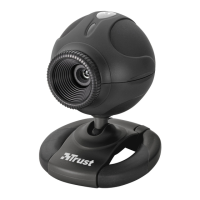
Webcam Components Identification

Identifies key physical components of the webcam, including buttons, clamp, lens, LED, and USB cable.

Installation Guide

Connect and Install Driver

Steps to connect the webcam via USB and install the necessary drivers from the CD-ROM.

Automatic Installation Completion

Instructions on waiting for Windows to automatically complete the webcam installation.

Using the Webcam

Open Application and Preview

Instructions on launching the AmCap application and enabling the video preview.

Adjusting Focus

Guidance on adjusting the lens ring for a clear image.

Taking a Snapshot

Capture and Save Image

Procedure for pressing the snapshot button and saving the captured image via software.
Summary

Product Overview

Webcam Components Identification

Identifies key physical components of the webcam, including buttons, clamp, lens, LED, and USB cable.

Installation Guide

Connect and Install Driver

Steps to connect the webcam via USB and install the necessary drivers from the CD-ROM.

Automatic Installation Completion

Instructions on waiting for Windows to automatically complete the webcam installation.

Using the Webcam

Open Application and Preview

Instructions on launching the AmCap application and enabling the video preview.

Adjusting Focus

Guidance on adjusting the lens ring for a clear image.

Taking a Snapshot

Capture and Save Image

Procedure for pressing the snapshot button and saving the captured image via software.

Trust WB-6250X Specifications

General IconGeneral
BrandTrust
ModelWB-6250X
CategoryWebcam
LanguageEnglish

Related product manuals