10.Wi-Fi Gateway (G2 version)
The new version Wi-Fi gateway is with improved performance and long communication distance.
please refer to the below parameters and operations:
Model: G2
Dimension: 70x70x26mm
Network: Wi-Fi 2.4G
IEEE Standard: 802.11b/g/n
Power Interface: Type C USB
Power Input: DC5V/500mA
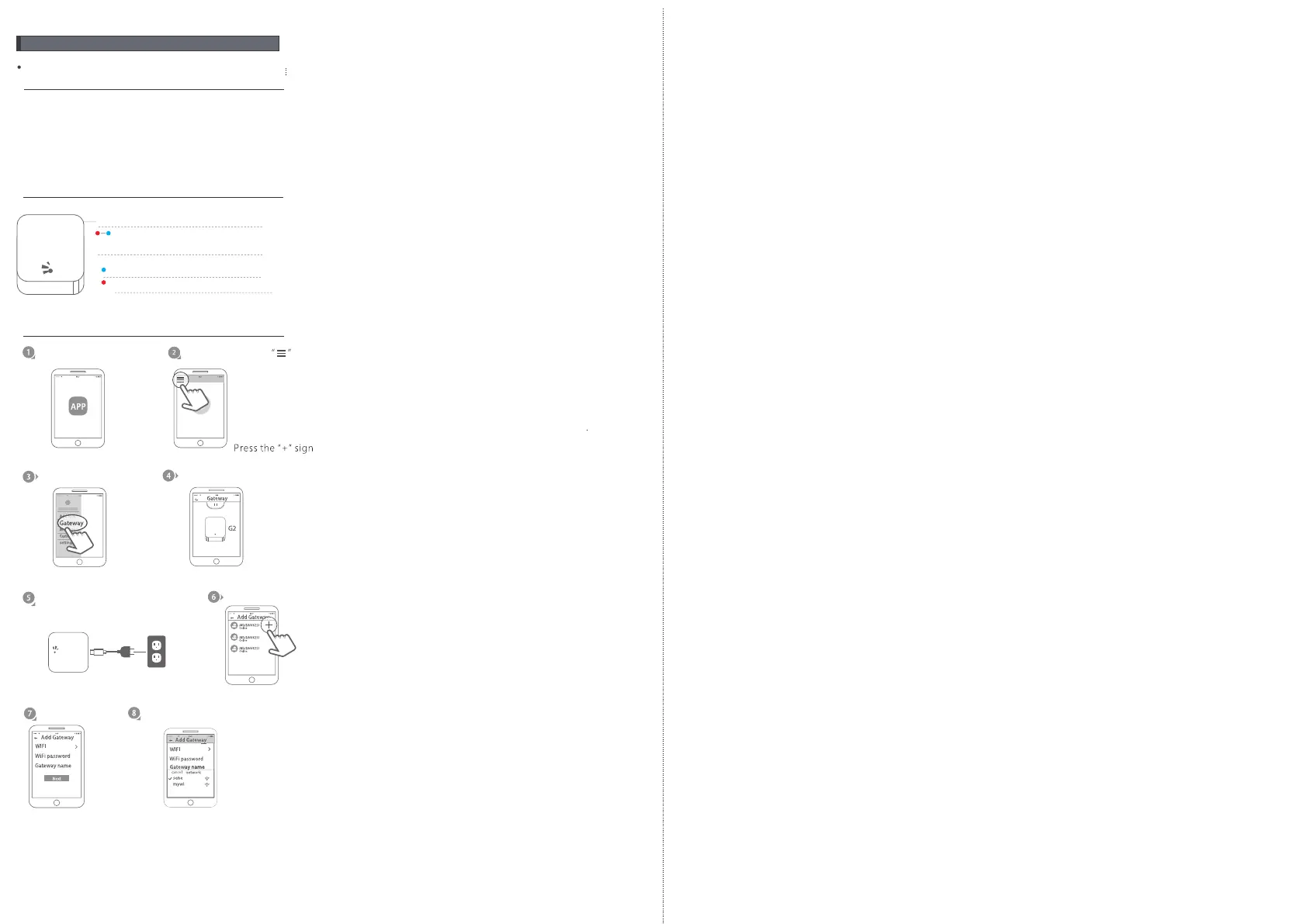
Light Status:
When the gateway is powered on:
Light flashes alternately with red and blue:
Stand-by mode,ready for connection
Blue light: working mode
Red light: network failure
Pair the Gateway with APP
Activate the APP
Press the button
Select the [Gateway]
Select the [G2]
Plug the gateway and power
on it, light flashes alternately
with red and blue.
Press the “+”.
Add Gateway
Select Wi-Fi and enter password
Finish paring gateway
11 12


 To Previous Page