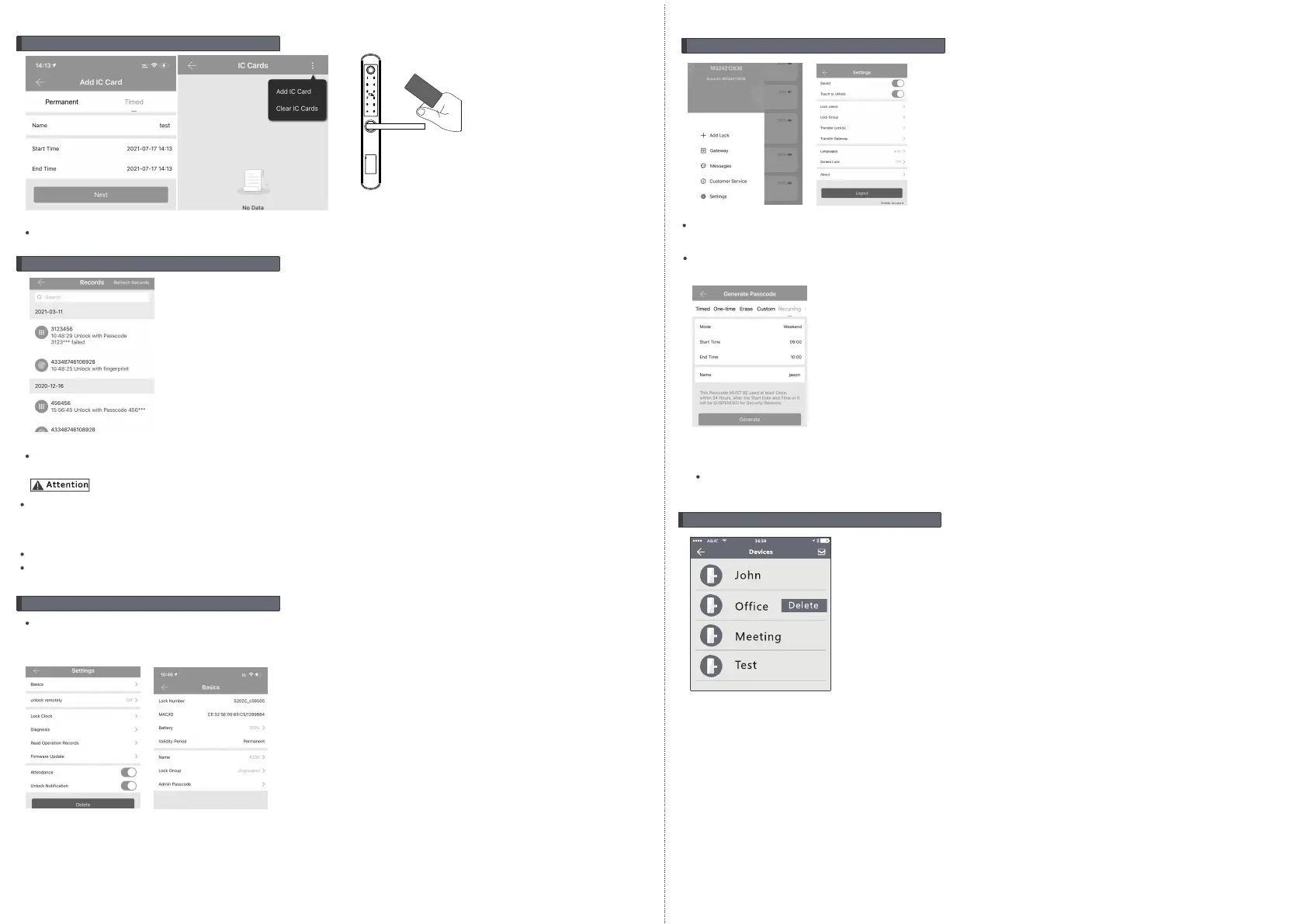
Notice: The passcode shall be used once within 24 hours
after the start time, otherwise it will be invalid for security reason.
Notice: The recurring passcode is one week and can be used cyclically for one defined period of time.
For example,if the time is valid when setting to 10:00-20:00 every weekend, the user can only open
the door at the setting time every weekend and can not open the door at any other time. Also this
passcode shall be used once within 24 hours after the start time, or it will be invalid.
9. Delete the Lock
To delete the lock, find the name and click to find the delete button, you can delete the lock in the
APP. Also you can long press the reset button on the rear side of front panel, so the other user can
add this lock as new device.
8.System Settings
Enter the interface and click the “≡”button, the options can be selected in the pop-up users.
5.Issue IC Card
There is tag card for this lock, which you can issue the IC card next the door lock, also
you can clear the IC card upon your requirement.
6.Unlock Record Query
Each time the ordinary user unlocks the door lock with the ekey sent by the administrator,
one record will be generated automatically and send to the administrator’s phone APP.
If one lock has been added by one phone, it can not be added by another new phone unless:
1.The previous administrator delete it from his APP next to the lock.
2.The reset button on the lock is long pressed for initialization(2 seconds).
Deleting the passcode must be operated next to the lock.
Enter the software interface and click the “≡” button to add the lock as the pop-up list suggest.
7.Lock Settings
Enter the device interface and click to check the “Setting” button to check the device information.
you can check the lock information for lock clock/diagnosis / unlock records and firmware
update operations etc. More information you can refer the below photos:
Smart
K
e
ycar
d
9 10


 To Next Page
 Loading...