Programming
15
9. TURN STAGES ‘ON / OFF’.
To Turn a Stage ‘On’.
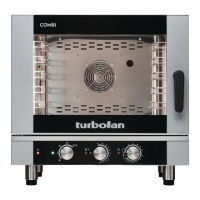
Either - Rotate ‘Timer’ knob clockwise to select ‘On’.
Or - Press ‘P’ key and program stage settings.
(Setting a time for a stage automatically changes its state to ‘On’).
To Turn a Stage ‘Off’.
Rotate ‘Timer’ knob anti-clockwise to select ‘Off’.
NOTE: Only the last active (‘On’) stage can be turned ‘Off’.
Rotate ‘Temp’ knob:-
‘+’ to advance one stage.
‘-’ to go to the previous stage.
Repeat Step 1 to Step 9 to program additional stages.
10. EXIT PROGRAMMING MODE.
Press and hold ‘Program’ key for 3 seconds until a beep sounds to exit the Programming Mode.
Program 3, Stage 1. - STATE: ON.
Program 3, Stage 2. - STATE: ON.
Program 3, Stage 3. - STATE: OFF
(ie; Inactive).


 To Next Page
 Loading...