Need help?
Do you have a question about the Turbosound LMS-D4 and is the answer not in the manual?
Lists European and international standards for EMC and electrical safety compliance.
Essential safety instructions and warnings for safe operation, including electrical shock and moisture avoidance.
Thanks users and encourages manual study for optimal performance.
Guides on careful unpacking, checking for damage, and reporting issues to the carrier.
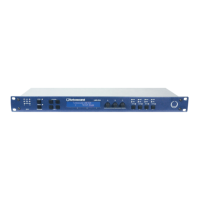
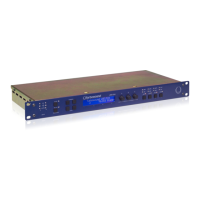
Describes the LMS-D4 as a compact DSP audio processor for Turbosound systems with 2 inputs and 4 outputs.
Highlights exceptional audio quality, bass boost filter, rotary encoder control, and delay capabilities.
Identifies LCD display, menu keys, scroll knob, LEDs, and RS232 port.
Explains the operation of Menu, Next, Back, Enter keys, scroll knob, LEDs, and RS232 input.
Identifies Mains Power, Mains Fuse holder, Audio Inputs, and Audio Outputs.
Details mains power connection, fuse replacement, and audio input/output XLR configurations.
Shows output assignments (O/P 1-4) for various Turbosound systems and configurations.
Guides on connecting, powering up, and understanding the unit's default state.
Explains how to navigate menus using MENU, BACK, NEXT, and ENTER for system setup.
Describes selecting loudspeaker systems and applying factory presets, including auto-mute.
Introduces the Xover Setup menu for adjusting user controls and parameters.
Details using NEXT, BACK, and SCROLL to modify user control values.
Covers Lock/Unlock, Clear User Setups (factory reset), and Download from PC.
Explains attenuation of the signal before processing, ranging from -40dB to +6dB.
Describes the LF Bass Boost for tonal adjustment, with a range of +6dB to -6dB, optimized around 100Hz.
Allows setting sub-bass channels to Stereo or MonoSum L+R for two-way systems.
Guides on setting peak limiters per output, including power handling and voltage calculation.
Details setting limiter voltage and options to defeat limiters.
Explains relative channel gain settings from +6.0 to -19.4 dB.
Allows defining the polarity of an output channel as normal or inverted.
Describes setting signal delay up to 42ms for time domain alignment.
Discusses using delays for driver alignment and notes displayed values are relative.
Explains how to save current configurations for later recall.
Lists inputs, impedance, outputs, max level, frequency response, dynamic range, distortion, max delay.
Details output gain, bass boost, limiters, display, connectors, power, weight, and dimensions.
States the one-year warranty against defects and the repair/replacement process.
Lists conditions not covered by warranty, such as misuse and modifications.
 General
| Type | Digital Loudspeaker Management System |
|---|---|
| Channels | 4 |
| Outputs | 4 x XLR |
| Maximum Input Level | +20 dBu |
| Maximum Output Level | +20 dBu |
| Frequency Response | 20 Hz - 20 kHz, ±0.5 dB |
| Display | LCD |
| PC Connection | USB |
| Inputs | 2 x XLR, 1 x AES/EBU |
| THD+N | <0.005% |
| Crossover Filters | Butterworth, Linkwitz-Riley, Bessel; Up to 48 dB/octave |
| EQ | Parametric |
| Limiter | Peak |
| Power Supply | 100-240 V, 50-60 Hz |
| Input Impedance | 20 kOhms balanced |
| Output Impedance | 50 Ohms balanced |

 To Next Page