Product Manual - Turf Tank One+
Installation and Operation
1.
2.
3.
4.
3.8.2 Reference Points
Most Plans begin with reference points placed on the map charted by the Robot’s position as determined by the
Base Station.
You could place reference points in the App using satellite maps and geographic coordinates, to get a general idea
of how layouts will fit into a general space, for example, but they will be imprecise.
Setting the points of the field with the Robot and the Base Station is the only way to ensure accurate, reproducible
positioning.
3.8.3 Clear Paths
Place Plans on flat, unobstructed fields.
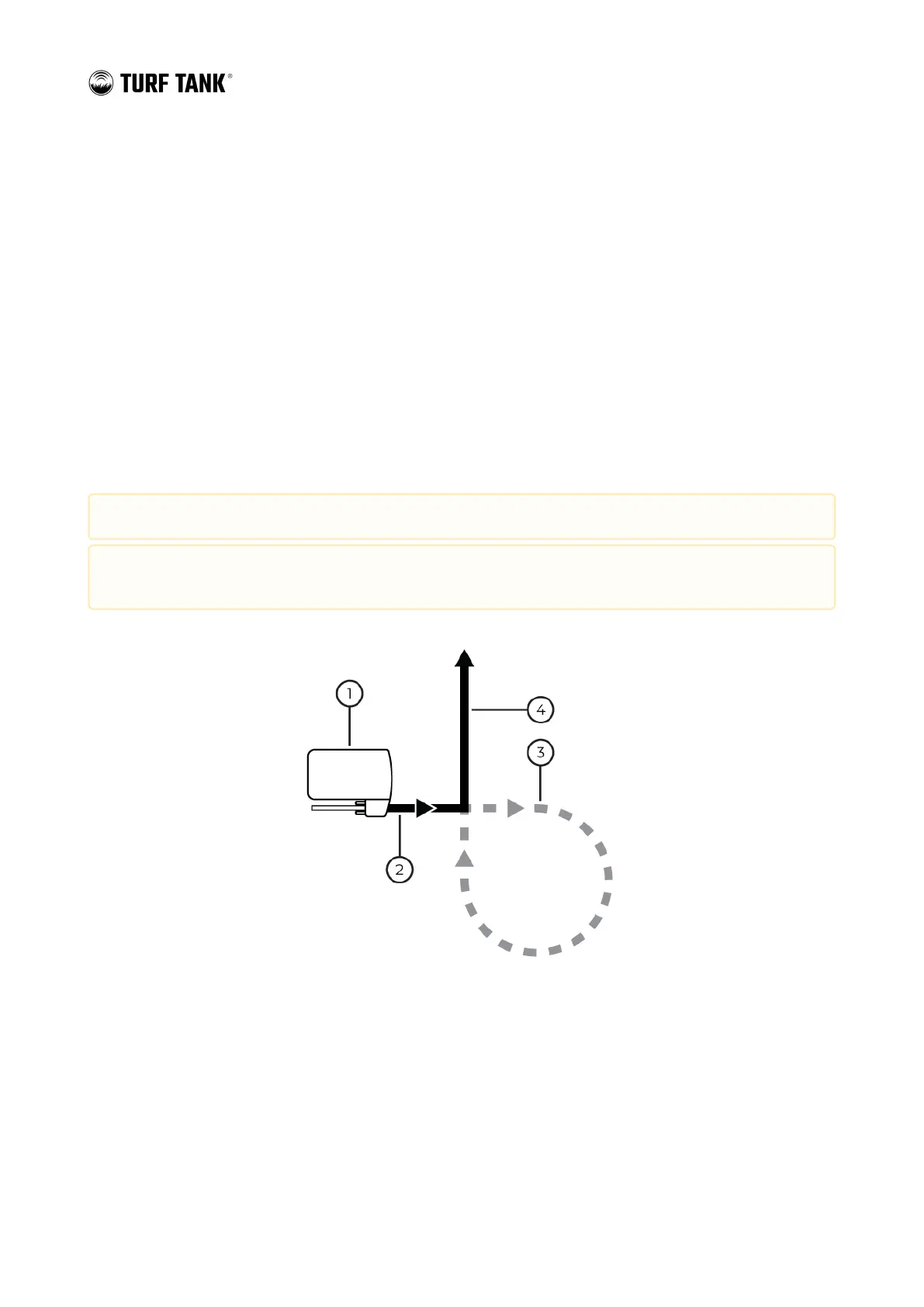
The Robot needs a clear path to paint the field and to travel outside the boundaries of the field (“transit paths”) to
approach the lines it paints.
Robot
Painting Field lines (Sprayer ON)
Transit paths (Sprayer OFF)
Painting Field lines (Sprayer ON)
Always verify the boundaries of Plans and Transit Lines before operating the robot in autonomous mode.
Ensure that Plans and Transit Lines do not unintentionally cross public pathways, hazards, or other
obstructions.


 To Next Page