Product Manual - Turf Tank One+
Installation and Operation
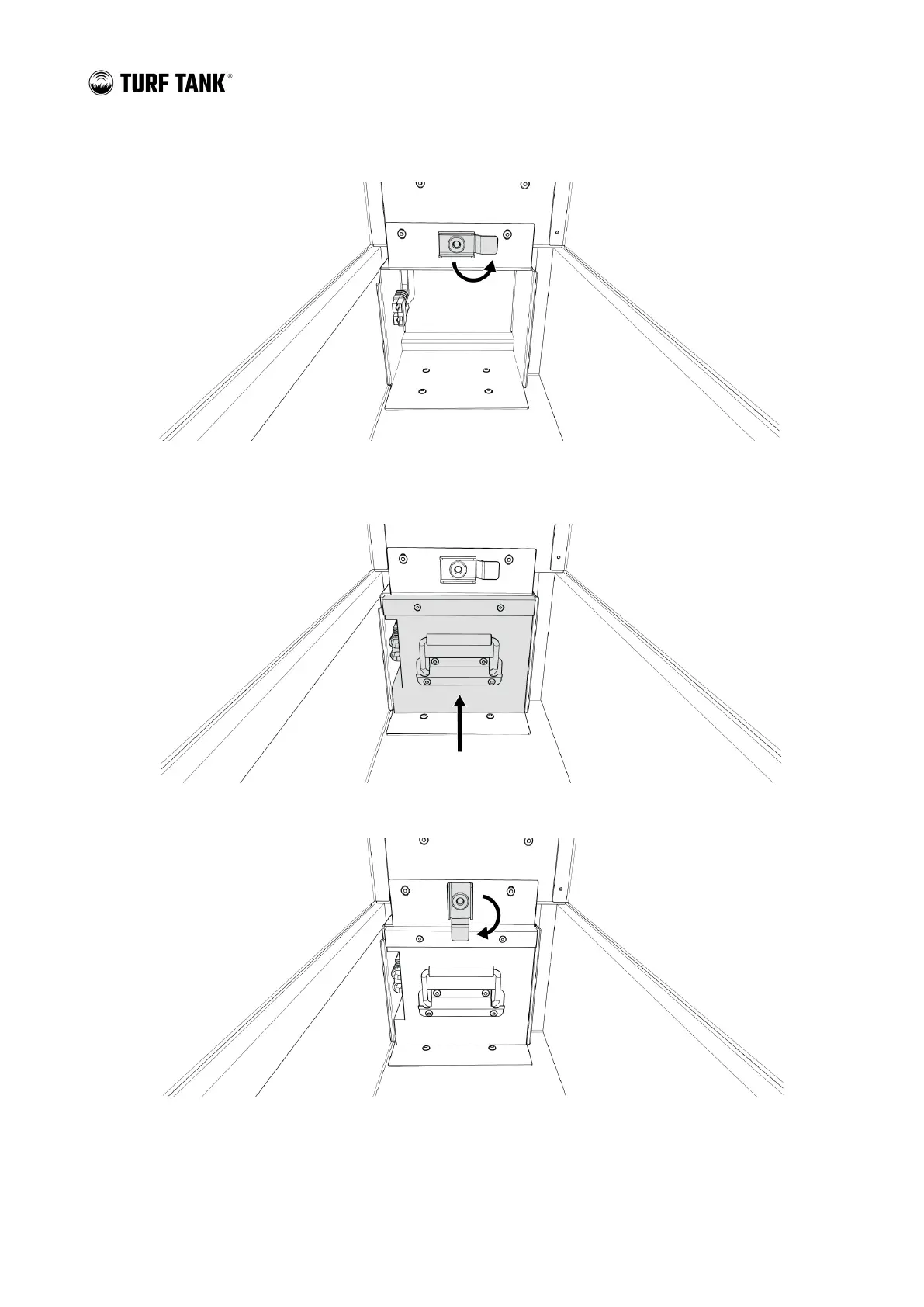
2. Rotate the Battery Lock clear of the Battery Box opening.
3. Grip the handle on the Battery, which will face the Battery’s power connectors in the proper direction.
4. Firmly push the Battery into the Battery Box until it is fully seated.
5. Rotate the Battery Lock down to secure the Battery.


 To Next Page