
 Need help?
Do you have a question about the Turin TCR Series and is the answer not in the manual?
General safety precautions applicable to all robot types.
Dangers during robot installation and service, including emergency stop.
Operator conduct and measures to prevent harm during robot operation.
Lists other essential technical manuals for robot operation and training.
Introduction to the TURIN-TeachTool application and its key functionalities.
Requirements for the operating environment of the TURIN-TeachTool.
Explanation of safety symbols like Danger, Caution, Mandatory, and Prohibition.
Description of deadly dangers and electrical hazards in robot operation.
Safety for integrators, hot parts, component removal, and pneumatic/hydraulic systems.
Procedures for brake testing, button box use, and emergency stop (scram).
Overview of the main components that make up the robot.
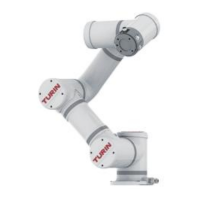
Description of the robot's physical structure and its use.
Details about the control cabinet, its interfaces, and the pad device.
Names and descriptions of the components of the robot's end effector.
Detailed descriptions of the control cabinet ports and button box functions.
Detailed specifications for the robot's mechanical body.
Table detailing payload, speed, operation area, and other specs.
Diagrams and information on robot dimensions and movement capabilities.
Details on the robot's zero position and software-defined motion limits.
Introduction to robot handling and installation procedures.
Procedures and precautions for safely moving and handling the robot.
Guidelines and rules for unpacking and installing the robot.
Environmental requirements for robot installation and storage.
Overview of system parts and how to connect them.
Dimensions and considerations for mounting external fittings on the robot's end flange.
Introduction to the TURIN-TeachTool, its functions, and operating environment.
Steps to connect the TURIN-TeachTool to a robot via LAN.
Overview and understanding of the TURIN-TeachTool application interface.
Description of the main interface elements of the TURIN-TeachTool.
How to adjust the layout of the TURIN-TeachTool interface.
Interface for adding commands and using the virtual keypad.
Interface for monitoring robot variables in TeachTool.
Interface for recording and displaying robot data.
How to change the display language in TURIN-TeachTool.
System login levels and default passwords for robot operation.
Setting robot parameters like joint limits and speeds for operation.
Parameters that limit robot joint motion and speed.
Using the oscilloscope to monitor and protect against robot collisions.
Monitoring collision torque using the robot oscilloscope.
Interface for setting zero force control parameters.
How incorrect parameter settings affect collision torque.
Analyzing actual collision torque during robot operation.
Procedure for automatically calibrating joint torque for robot parameters.
Settings related to the robot's collaboration and drag teaching functions.
List and description of parameters for drag teaching and collision detection.
Managing robot configuration files through import or backup.
Interface for viewing runtime logs in TeachTool.
Procedures for setting up tool and user coordinate systems for robot operation.
Method for creating and setting up user-defined coordinate systems.
Performing linear motion using different coordinate systems.
Moving the robot to specific points and recording them.
Overview of the programming interface, including bars and areas.
Creating, managing, and operating robot programs.
Steps to create a new robot program using Motion or background programs.
Configuring and starting foreground and background robot programs.
Displaying the robot's pose and status in a 3D model.
Checklist for daily inspection of robot components and systems.
Checklists for quarterly and annual robot inspections.
Procedure for replacing the robot's encoder battery.
Steps to manually calibrate the robot's zero point after maintenance.
Procedure for 20-point calibration to correct zero position and link errors.

 To Next Page
 General