User’s Guide
10
Â
Do not unplug the Audio Advantage while an application is using it to play
audio or you may lock up the application or crash Windows. Always stop the
playback function on any applications you are using before removing the
Audio Advantage from the USB socket.
OPTIMIZING PLAYBACK PERFORMANCE
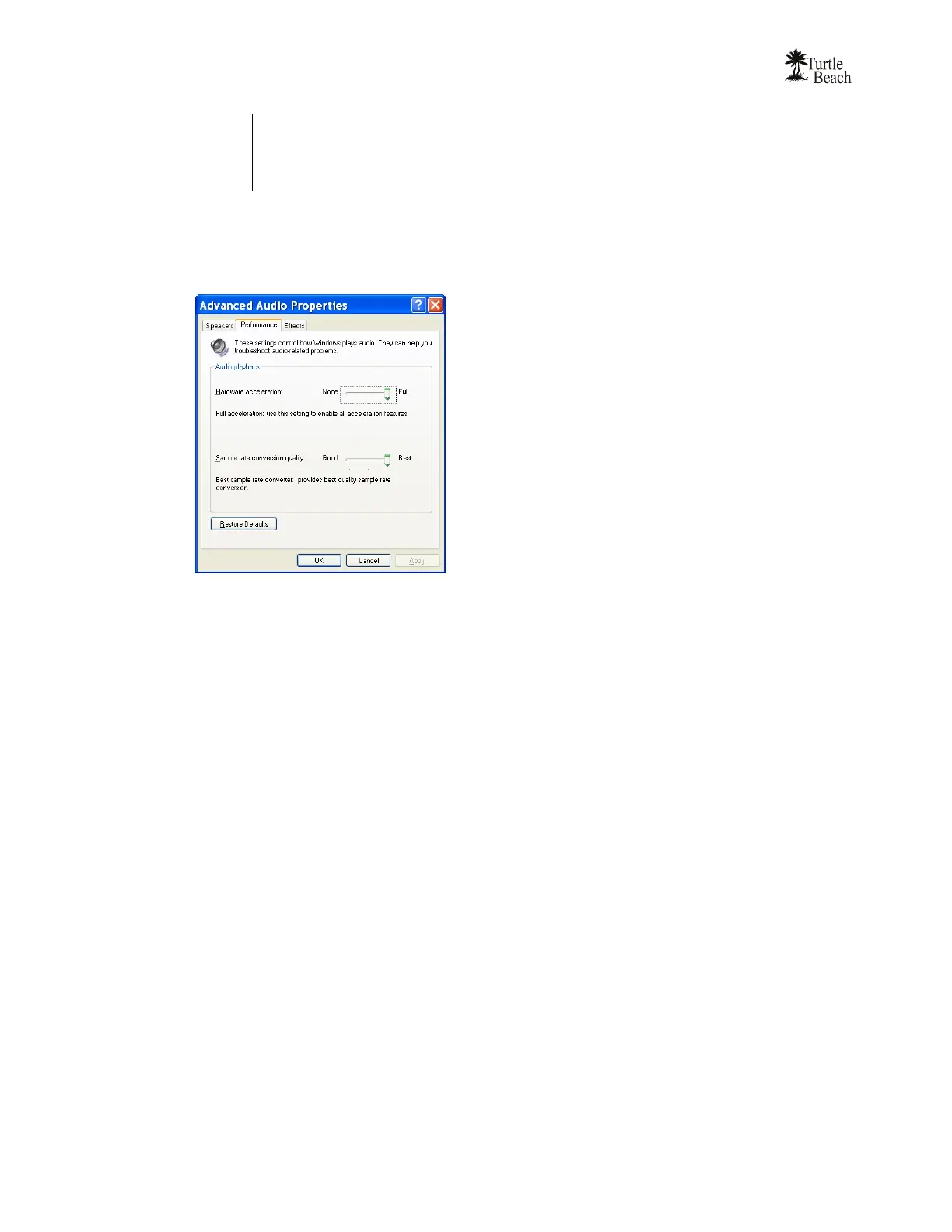
For optimum performance, adjust the System Hardware acceleration and Sample Rate Conversion Quality to
Full and Best by clicking Start Æ Control Panel Æ Sounds and Audio Devices Æ Audio Tab Æ Sound
Playback Advanced Button Æ Performance Tab Æ Advanced Audio Properties Dialog.
USING THE VIRTUAL SURROUND SOUND FEATURE
The Audio Advantage provides simulated 3D surround sound on speakers or stereo earphones using HRTF
(Head Related Transfer Function) technology. The surround sound effect may be used to simulate 3D
positional audio with PC games or to enhance the audio on stereo music and movies. The virtual surround
sound feature can be activated on the Audio Advantage Control Panel’s “Effects” tab.
The virtual surround effect depends on the sound source used and the program playing the source material.
For example, the surround sound effect will not operate on any source that is not digital, such as the analog
signal from an internal CD player or the line and microphone inputs on your sound card.
LISTENING TO DVD AUDIO
When playing a DVD on your PC or laptop, the application playing the DVD should be set to “5.1 speaker”
mode. This will route the 6 channel audio from the DVD to the Audio Advantage’s Surround Sound
processor and convert the discrete 6 channels from the DVD into 6 virtual channels, thereby enabling the
3D effects on your headphones or speakers.
LISTENING TO ENHANCED STEREO SOURCES
When playing 2 channel stereo sources, such as MP3 music, the application playing the music (e.g. Windows
MediaPlayer) will send stereo digital audio to the Audio Advantage surround sound processor. This will
convert the stereo signal into simulated surround sound on your headphones or speakers, so that the stereo
music will be “expanded”.
If the stereo music is played on older programs that use the Windows MCI interface (e.g. early versions of
WinAmp) will not be converted into virtual surround sound because the MCI interface does not support the
Direct Sound 3D virtualization features used by the Audio Advantage surround sound processor.



 To Next Page