User’s Guide
2
PACKAGE CONTENTS
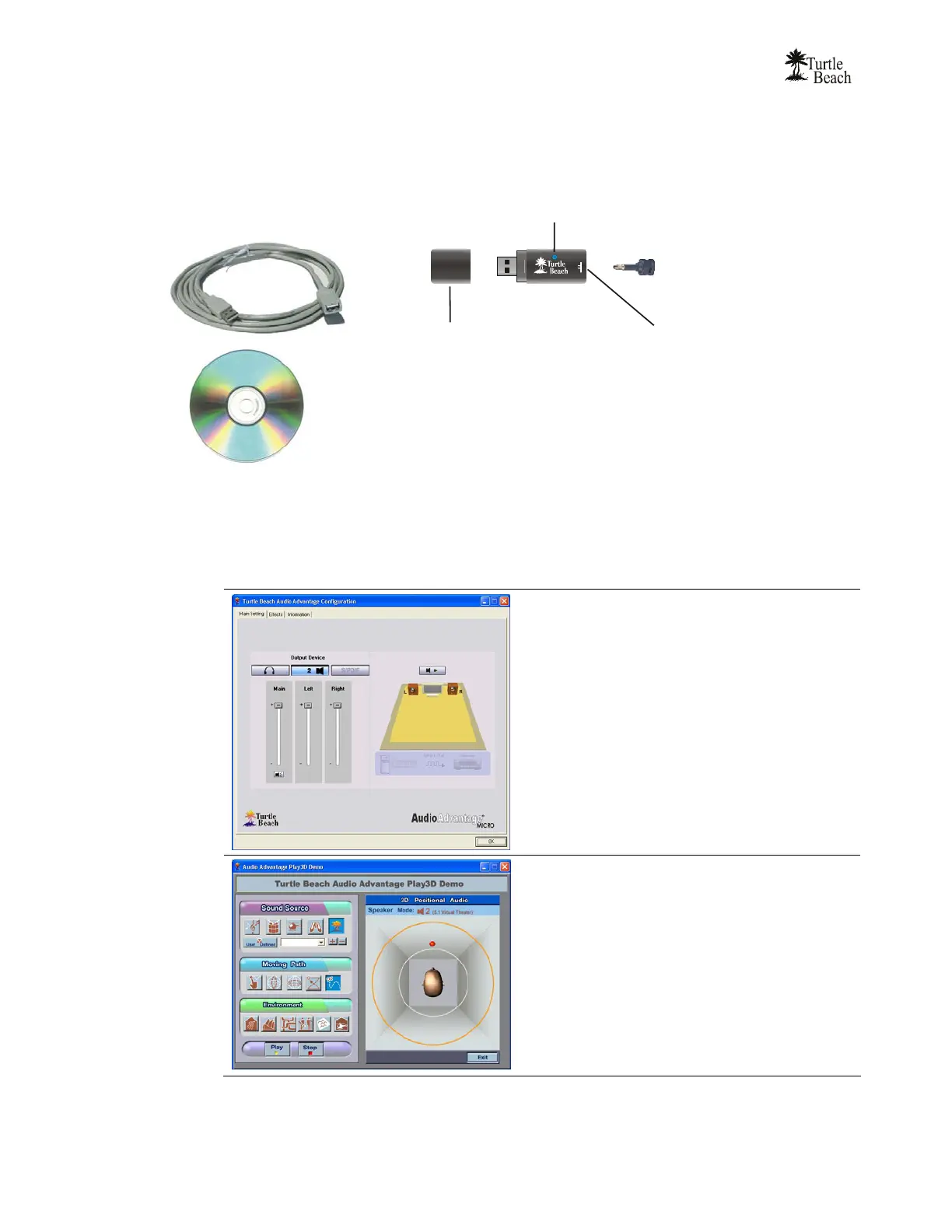
The Audio Advantage Micro package includes:
USB Extender Cable
Use this cable if the USB port is
inconveniently located or will not allow
direct insertion of the Audio Advantage unit
USB Connector Cap
Use this to protect the USB socket
when storing the Audio Advantage unit
Audio Advantage CD
Includes setup program, USB drivers,
control panel software and bonus programs
SPDIF Out
C
S/PDIF Digital Adapter
Insert this adapter into the mini jack
to connect a TOSLINK optical cabl
when using the digital audio output
Power LED
Lights up when the Audio Advantage unit
is plugged into an active USB port
to indicate power has been applied
Analog Mini Jack
Insert headphones or analog
powered speakers into this jack.
AUDIO ADVANTAGE CD
The Audio Advantage CD includes a suite of versatile programs for controlling your listening environment, evaluating
the audio effects and working with digital audio and MIDI music files. The following programs are installed as part of
the Audio Advantage drivers and applications installation procedure:
AUDIO ADVANTAGE CONTROL PANEL
Launch this program by clicking on the Turtle Beach icon in
the Start Tray on bottom right of your PC Screen and
selecting Control Panel from the pop-up menu.
This program lets you control the different settings for
controlling how the Audio Advantage Micro plays sound on
your PC. For a full description, see the section entitled
“Using the Control Panel” in this User’s Manual.
3DPLAY DEMO
Launch this program by clicking Start Æ Programs Æ
Turtle Beach Audio Advantage Micro Æ 3DPlayer or by
clicking on the Turtle Beach icon in the Start Tray on
bottom right of your PC Screen and selecting Demo from
the pop-up menu.
This program makes it easy to hear demos of the HRTF
3D sound effects. Start the demo by pressing the Play
button on the bottom left of the screen, then press the
buttons in the Sound Source, Moving Path and
Environment sections to hear how they affect the sound.
To end the demo, press the Stop or Exit buttons.



 To Next Page