Controller not Included
1
A
2
C
8
Go to Table of Contents
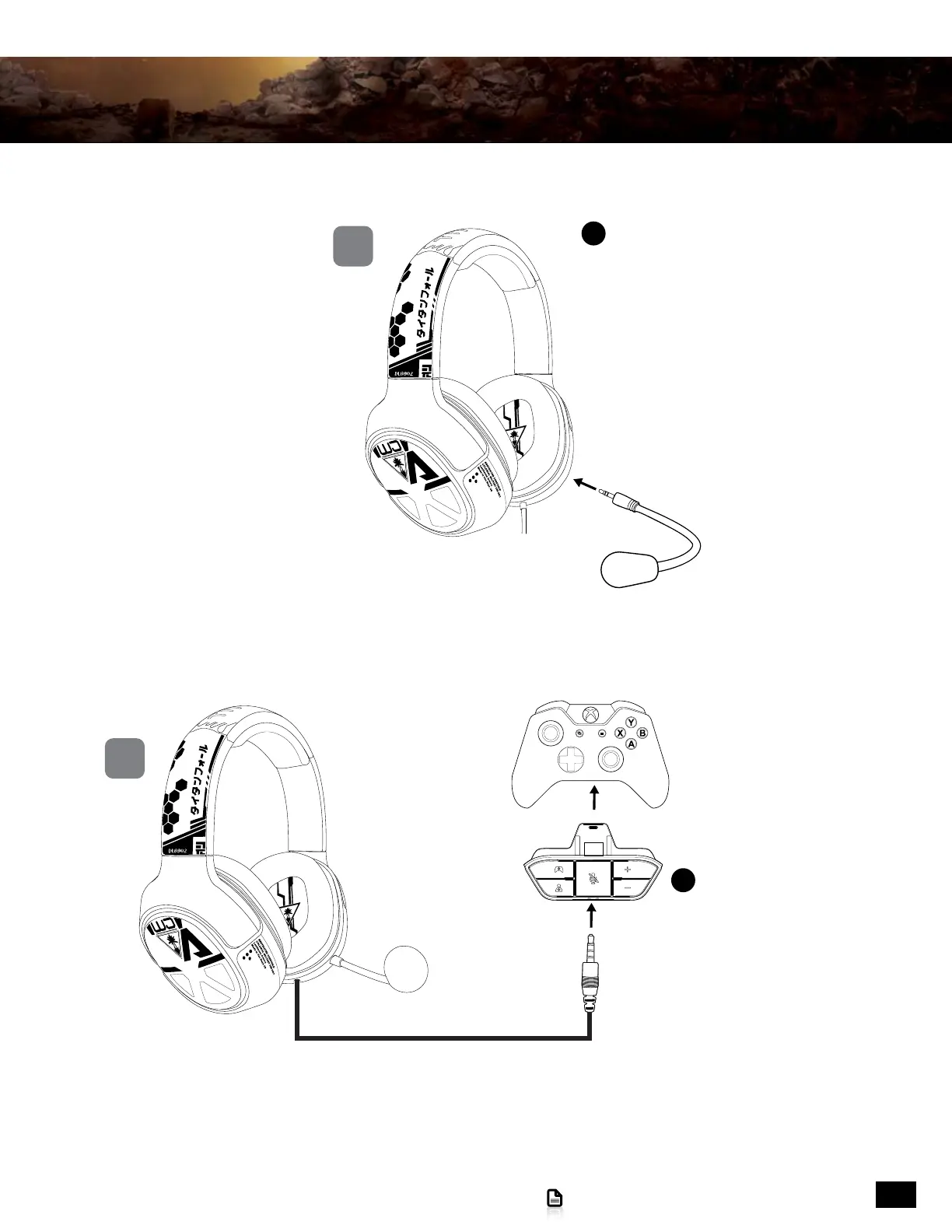
Connecting to the Xbox One controller
1. Insert the microphone boom plug into the jack on the left earcup of the headset .
2. Insert the Xbox One Audio Adapter into the Xbox One Controller.
3. Insert the cable from your headset into the headset jack of the Xbox One Audio Adapter.
NOTE: For reliable sound, confirm that all connections are firmly inserted.
Setup and Connections: Xbox One Consoles










 To Next Page