EasyManua.ls Logo

Turtle Beach EAR FORCE Z60 - User Manual

Turtle Beach EAR FORCE Z60
24 pages
Print Icon
To Next Page IconTo Next Page
Loading...
User Guide
WIRED
For: PS3
I Xbox 360
®
I PC
Mac
®
I Mobile
7.1- CHANNEL PC GAMING HEADSET
60
Mac
®
I
Mobile Gaming*
WIRED
For: PC
Question and Answer IconNeed help?

Do you have a question about the Turtle Beach EAR FORCE Z60 and is the answer not in the manual?

Summary

In the Box

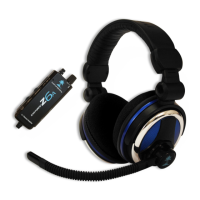
Ear Force Z60 Headset

Lists the main headset component included in the package.

Ear Force Z60 Surround Sound Control Unit

Identifies the control unit for the headset's features.

Removable Mic Boom

Details the detachable microphone component for the headset.

Turtle Beach Sticker

Mentions the included branded sticker.

About the Z60

Parts and Controls

Game Volume Control

Describes the control for adjusting game audio volume.

Chat Volume Control

Explains how to use the chat volume control on the unit.

Headset Connection

Identifies the port for connecting the headset cable.

Mic Mute Button

Explains the button to turn the microphone on/off or enable monitoring.

Mic Mute Indicator

Details the LED that indicates microphone mute status.

Surround Sound Button

Describes the button to cycle through surround sound modes.

Connections

Windows PC Setup

Mac OSX Setup

Skype Setup

Connecting Mobile Devices

Adjusting Sound

Adjust Game;Media Volume

Details how to use the volume control for game and media audio.

Adjust Chat Volume

Explains how to use the chat volume control on the unit.

Microphone On;Off

Describes how to mute/unmute the microphone using the button.

Microphone Monitoring

Explains how to activate and deactivate hearing your own voice.

Adjust Surround Sound

Details how to cycle through DTS Headphone:X surround sound modes.

Specifications

Troubleshooting Tips

No Sound Issues

Provides solutions for common problems related to lack of audio output.

Voice Chat Drops

Explains causes and solutions for intermittent voice chat issues.

Microphone Not Working

Offers troubleshooting steps for microphone input problems.

Important Safety Information

Regulatory Compliance Statements

FCC Compliance Notices

Outlines the Federal Communications Commission compliance for the device.

Canadian ICES Statements

Details the Canadian radio interference regulations compliance.

Declaration of Conformity

Safety Standards

Lists safety requirements and standards the product meets.

Emissions Standards

Details the electromagnetic emissions standards the product complies with.

Immunity Standards

Lists the electromagnetic immunity standards the product adheres to.

Environmental Compliance

Covers environmental directives like RoHS and WEEE compliance.

Limited One Year Warranty

Warranty Service

Explains the process for obtaining warranty service and support.

Warranty Notes

Provides additional details and notes regarding warranty coverage.

Exclusions from Limited Warranty

Summary

In the Box

Ear Force Z60 Headset

Lists the main headset component included in the package.

Ear Force Z60 Surround Sound Control Unit

Identifies the control unit for the headset's features.

Removable Mic Boom

Details the detachable microphone component for the headset.

Turtle Beach Sticker

Mentions the included branded sticker.

About the Z60

Parts and Controls

Game Volume Control

Describes the control for adjusting game audio volume.

Chat Volume Control

Explains how to use the chat volume control on the unit.

Headset Connection

Identifies the port for connecting the headset cable.

Mic Mute Button

Explains the button to turn the microphone on/off or enable monitoring.

Mic Mute Indicator

Details the LED that indicates microphone mute status.

Surround Sound Button

Describes the button to cycle through surround sound modes.

Connections

Windows PC Setup

Mac OSX Setup

Skype Setup

Connecting Mobile Devices

Adjusting Sound

Adjust Game;Media Volume

Details how to use the volume control for game and media audio.

Adjust Chat Volume

Explains how to use the chat volume control on the unit.

Microphone On;Off

Describes how to mute/unmute the microphone using the button.

Microphone Monitoring

Explains how to activate and deactivate hearing your own voice.

Adjust Surround Sound

Details how to cycle through DTS Headphone:X surround sound modes.

Specifications

Troubleshooting Tips

No Sound Issues

Provides solutions for common problems related to lack of audio output.

Voice Chat Drops

Explains causes and solutions for intermittent voice chat issues.

Microphone Not Working

Offers troubleshooting steps for microphone input problems.

Important Safety Information

Regulatory Compliance Statements

FCC Compliance Notices

Outlines the Federal Communications Commission compliance for the device.

Canadian ICES Statements

Details the Canadian radio interference regulations compliance.

Declaration of Conformity

Safety Standards

Lists safety requirements and standards the product meets.

Emissions Standards

Details the electromagnetic emissions standards the product complies with.

Immunity Standards

Lists the electromagnetic immunity standards the product adheres to.

Environmental Compliance

Covers environmental directives like RoHS and WEEE compliance.

Limited One Year Warranty

Warranty Service

Explains the process for obtaining warranty service and support.

Warranty Notes

Provides additional details and notes regarding warranty coverage.

Exclusions from Limited Warranty

Turtle Beach EAR FORCE Z60 Specifications

General IconGeneral
Headset typeBinaural
Product typeHeadset
Product colorBlack, Red
Wearing styleHead-band
Recommended usageGaming
USB connectivityYes
Connectivity technologyWired
Impedance32 Ω
Driver unit60 mm
Magnet typeNeodymium
Ear couplingCircumaural
Headphone frequency20 - 20000 Hz
Headphone sensitivity104 dB
Microphone typeBoom
Microphone frequency- Hz
Microphone direction typeOmnidirectional
Windows operating systems supportedWindows 7 Enterprise, Windows 7 Enterprise x64, Windows 7 Home Basic, Windows 7 Home Basic x64, Windows 7 Home Premium, Windows 7 Home Premium x64, Windows 7 Professional, Windows 7 Professional x64, Windows 7 Starter, Windows 7 Starter x64, Windows 7 Ultimate, Windows 7 Ultimate x64, Windows 8, Windows 8 Enterprise, Windows 8 Enterprise x64, Windows 8 Pro, Windows 8 Pro x64, Windows 8 x64, Windows 8.1, Windows 8.1 Enterprise, Windows 8.1 Enterprise x64, Windows 8.1 Pro, Windows 8.1 Pro x64, Windows 8.1 x64
Package depth225 mm
Package width115 mm
Package height255 mm
Package weight883 g
Quantity1

Related product manuals