7
Go to Table of Contents
Connections
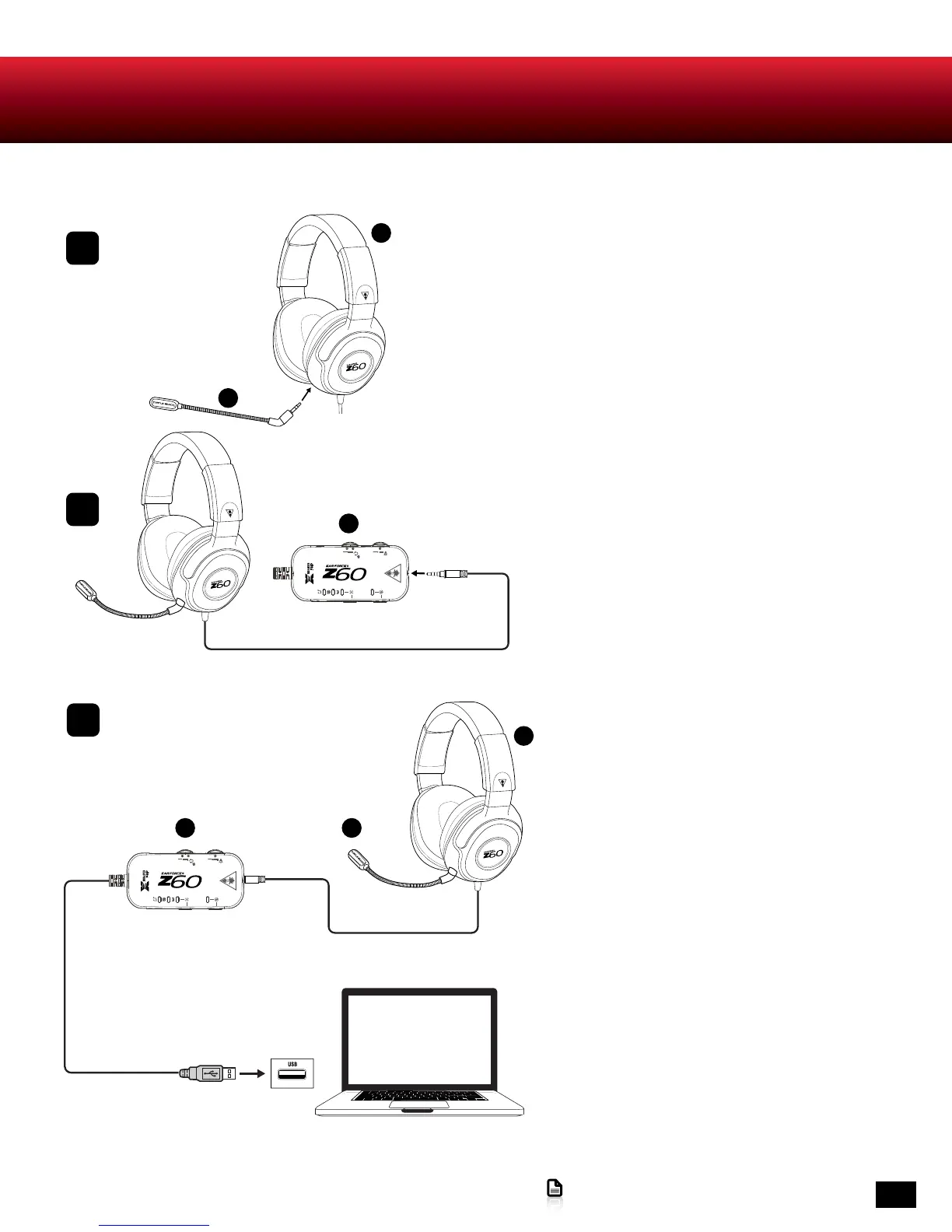
1. Insert the plug of the Removable Mic
Boom into the jack on the left earcup of the
Headset.
2. Insert the Headset cable into the
Headset Connection on the Surround
Sound Control Unit.
B
C
1
2
A
3. Plug the USB cable of the Surround
Sound Control Unit into an available USB
port on the computer.
B C
A
3












 To Next Page