11
Go to Table of Contents
Mac OSX Setup
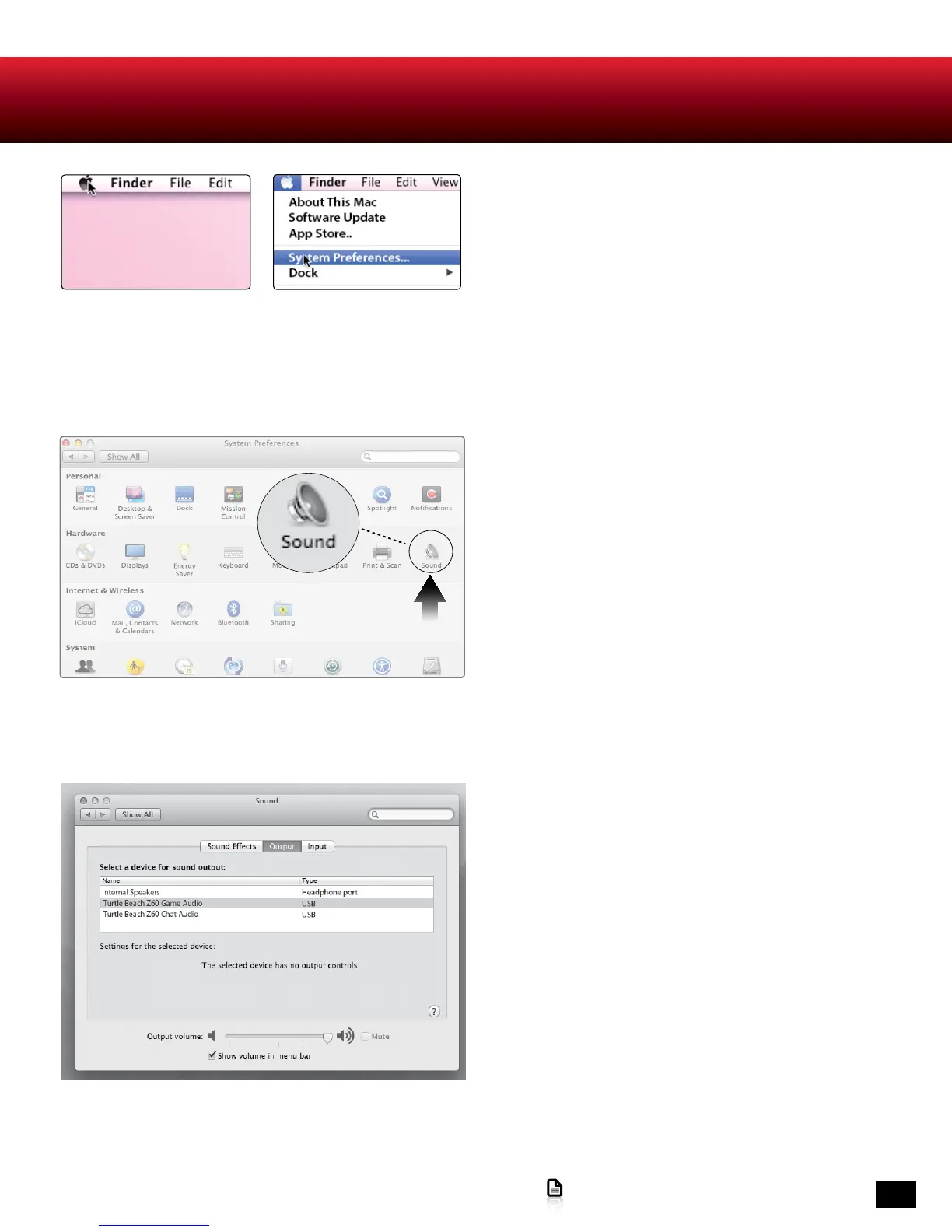
1. In the Apple menu, select System Preferences.
Depending on your OS version, the screens may differ,
but the steps remain the same.
2. In the System Preferences folder, click on Sound.
3. In the Sound dialog box, click on the Output tab and
select Turtle Beach Z60 Game Audio.












 To Next Page