EasyManua.ls Logo

Turtle Beach Ear Force PX5 - User Manual

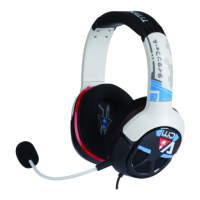
Turtle Beach Ear Force PX5
42 pages
Print Icon
To Next Page IconTo Next Page
Loading...
лчиттничюнльтцию.
глтчн.Бзвыдны
www.sotmarket.ru
дбняинфмциятв,
тзывы,бзыиы
Инструкция для
Turtle Beach Ear Force PX5
Перейти в карточку товара
8 800 775 98 98

Other manuals for Turtle Beach Ear Force PX5

Question and Answer IconNeed help?

Do you have a question about the Turtle Beach Ear Force PX5 and is the answer not in the manual?

Summary

Whats in the Box

About the Ear Force PX5

PX5 Headset Controls

Left Ear Cup Controls

Details the controls located on the left ear cup.

Right Ear Cup Controls

Details the controls located on the right ear cup.

PX5 Transmitter

Transmitter Overview and Ports

Describes the front and rear views, including all ports.

Transmitter Controls and Indicators

Explains the function of buttons, switches, and LEDs.

Using the Transmitter

Transmitter Range and Placement

Information on optimal wireless range and positioning.

Using Wired Headphones with Transmitter

Connects wired headphones for shared audio.

Pairing the PX5 and Transmitter

Console Setup

PS3 and Xbox 360 Setup

Instructions for connecting to PS3 and Xbox 360 consoles.

Console Chat Setup

PS3 Bluetooth Chat Setup

Configuration for PS3 wireless chat.

Xbox 360 Wired Chat Setup

Configuration for Xbox 360 wired chat.

Xbox 360 Wireless Chat Setup

Configuration for Xbox 360 wireless chat.

PC;Mac Setup

PC;Mac Digital Audio and Bluetooth Setup

Connects PC/Mac via digital audio and Bluetooth.

PC;Mac Analog Audio and Bluetooth Setup

Connects PC/Mac via analog audio and Bluetooth.

Home Theater Setup

Dolby Processing

Digital Signal Processing Features

Audio Enhancement Features

Details on Noise Gates, Sonic Lens, Sound Field Expander, Blast Limiter.

Voice and Microphone Features

Details on Chat Boost, Voice Morphing, Mic ALC, Monitoring.

Audio Tone and Safety Features

Details on EQ, Ear Guard, and Voice Prompts.

Presets

Using and Customizing Presets

How to use, switch, and customize audio presets.

Using Bluetooth

Bluetooth Pairing Procedures

Steps for pairing with consoles and devices.

Call Management with Bluetooth

How to make and receive phone calls.

PX5 Technical Specifications

Troubleshooting Common Issues

Audio and Connectivity Problems

Solutions for no sound, drops, distortion, and input issues.

Pairing and Chat Issues

Resolving PS3 pairing and voice chat drop issues.

Limited Warranty Information

Regulatory Compliance

FCC Declaration of Conformity

Statement of compliance with FCC rules.

EC Declaration of Conformity

Statement of compliance with EC directives.

FCC and IC Notices

Important compliance statements and RF exposure info.

Summary

Whats in the Box

About the Ear Force PX5

PX5 Headset Controls

Left Ear Cup Controls

Details the controls located on the left ear cup.

Right Ear Cup Controls

Details the controls located on the right ear cup.

PX5 Transmitter

Transmitter Overview and Ports

Describes the front and rear views, including all ports.

Transmitter Controls and Indicators

Explains the function of buttons, switches, and LEDs.

Using the Transmitter

Transmitter Range and Placement

Information on optimal wireless range and positioning.

Using Wired Headphones with Transmitter

Connects wired headphones for shared audio.

Pairing the PX5 and Transmitter

Console Setup

PS3 and Xbox 360 Setup

Instructions for connecting to PS3 and Xbox 360 consoles.

Console Chat Setup

PS3 Bluetooth Chat Setup

Configuration for PS3 wireless chat.

Xbox 360 Wired Chat Setup

Configuration for Xbox 360 wired chat.

Xbox 360 Wireless Chat Setup

Configuration for Xbox 360 wireless chat.

PC;Mac Setup

PC;Mac Digital Audio and Bluetooth Setup

Connects PC/Mac via digital audio and Bluetooth.

PC;Mac Analog Audio and Bluetooth Setup

Connects PC/Mac via analog audio and Bluetooth.

Home Theater Setup

Dolby Processing

Digital Signal Processing Features

Audio Enhancement Features

Details on Noise Gates, Sonic Lens, Sound Field Expander, Blast Limiter.

Voice and Microphone Features

Details on Chat Boost, Voice Morphing, Mic ALC, Monitoring.

Audio Tone and Safety Features

Details on EQ, Ear Guard, and Voice Prompts.

Presets

Using and Customizing Presets

How to use, switch, and customize audio presets.

Using Bluetooth

Bluetooth Pairing Procedures

Steps for pairing with consoles and devices.

Call Management with Bluetooth

How to make and receive phone calls.

PX5 Technical Specifications

Troubleshooting Common Issues

Audio and Connectivity Problems

Solutions for no sound, drops, distortion, and input issues.

Pairing and Chat Issues

Resolving PS3 pairing and voice chat drop issues.

Limited Warranty Information

Regulatory Compliance

FCC Declaration of Conformity

Statement of compliance with FCC rules.

EC Declaration of Conformity

Statement of compliance with EC directives.

FCC and IC Notices

Important compliance statements and RF exposure info.

Turtle Beach Ear Force PX5 Specifications

General IconGeneral
Headset typeBinaural
Product typeHeadset
Wearing styleHead-band
Recommended usageGaming
Frequency band2.4 GHz
Wireless range9.14 m
RF connectivityYes
Connectivity technologyWireless
Impedance- Ω
Driver unit50 mm
Magnet typeNeodymium
Ear coupling-
Headphone frequency20 - 20000 Hz
Headphone sensitivity120 dB
Microphone frequency50 - 15000 Hz
Number of batteries supported2
Continuous audio playback time15 h
Receiver weight240 g
Compatible battery sizesAA
Receiver dimensions (WxDxH)111 x 111 x 225 mm
Windows operating systems supportedWindows 7 Home Premium, Windows 7 Home Premium x64, Windows 7 Professional, Windows 7 Professional x64, Windows 7 Starter, Windows 7 Starter x64, Windows 7 Ultimate, Windows 7 Ultimate x64, Windows Vista Business, Windows Vista Business x64, Windows Vista Home Basic, Windows Vista Home Basic x64, Windows Vista Home Premium, Windows Vista Home Premium x64, Windows Vista Ultimate, Windows Vista Ultimate x64, Windows XP Home, Windows XP Home x64, Windows XP Professional, Windows XP Professional x64
Cables includedS/PDIF, USB
Weight and Dimensions IconWeight and Dimensions
Weight233 g

Related product manuals