12
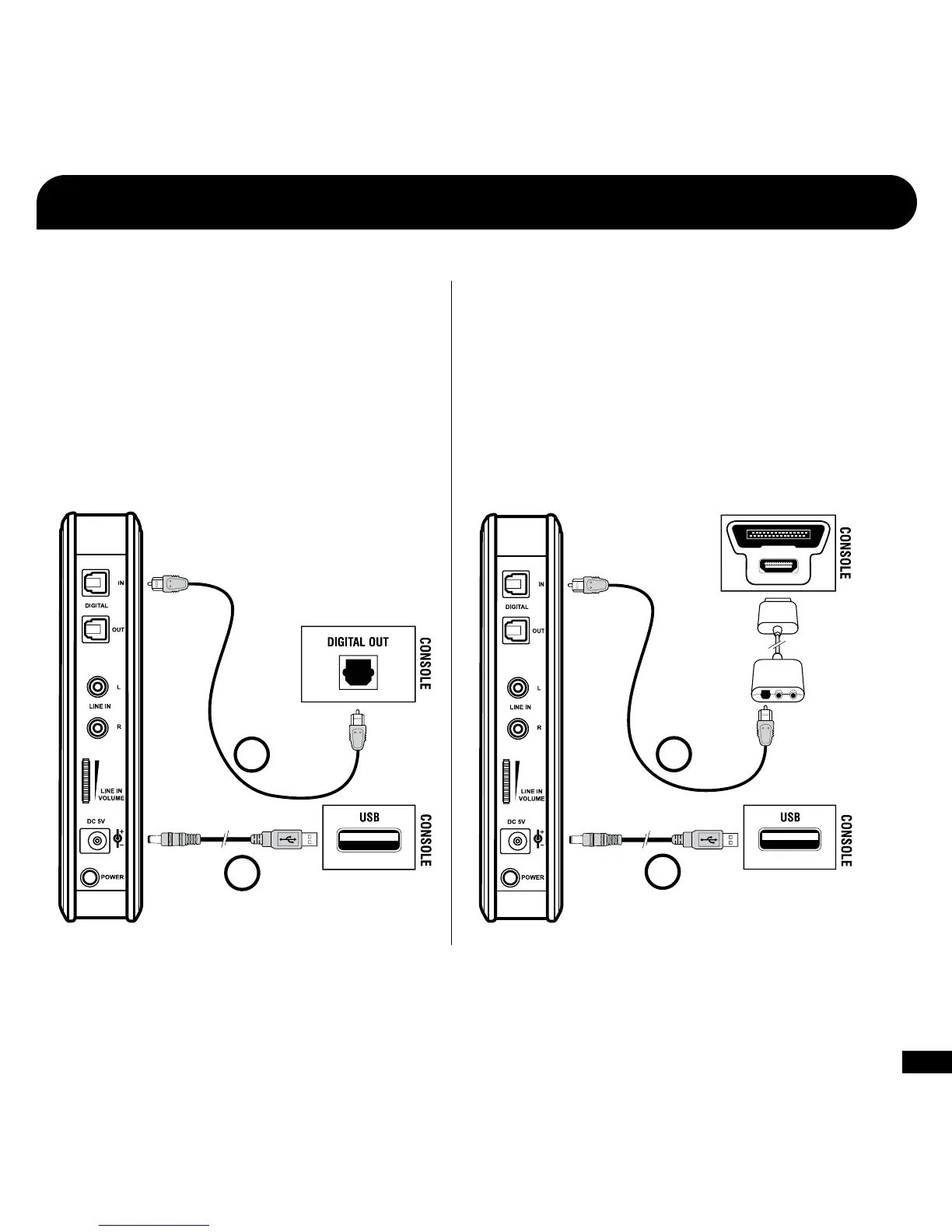
1. Connect the Digital Optical Cable
NOTE: Remove the protective caps from each end of the
optical cable before inserting it into the sockets.
2. Connect the Transmitter Power
1
2
PS3
™
, Xbox 360
®
(Slim)
Xbox 360 (Original)*
1. Connect the Digital Optical Cable
(Requires Xbox 360 Audio Adapter, sold separately)
NOTE: Remove the protective caps from each end of the optical
cable before inserting it into the sockets.
2. Connect the Transmitter Power
1
2
* Xbox 360 Audio Adapter cable required (sold separately). If your HDTV has
an optical AUDIO OUT jack, you can use it to connect the optical cable to
the transmitter.
Setup














 To Next Page