EasyManua.ls Logo

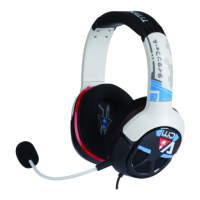
Turtle Beach Ear force ATLAS - User Manual

Turtle Beach Ear force ATLAS
26 pages
Print Icon
To Next Page IconTo Next Page
Loading...
User Guide
FOR Xbox One™ I Xbox 360® I PC

Questions and Answers

Summary

Headset Parts and Controls

In-Line Amplifier Controls (Xbox 360;PC)

Details the controls and features of the In-Line Amplifier for Xbox 360 and PC.

Xbox One Console Setup and Connections

Xbox 360 Console Setup and Connections

PC Setup and Connections

Headset Specifications

Troubleshooting Headset Issues

Troubleshoot No Sound; Low Sound

Troubleshooting steps for audio issues, including volume and connection problems.

Troubleshoot Microphone Not Working

Solutions for microphone problems, such as muting or loose connections.

Troubleshoot Low Chat Volume

Troubleshooting steps for chat volume issues and connection problems.

Important Safety Information

Limited One Year Warranty

Warranty Exclusions

Summary

Headset Parts and Controls

In-Line Amplifier Controls (Xbox 360;PC)

Details the controls and features of the In-Line Amplifier for Xbox 360 and PC.

Xbox One Console Setup and Connections

Xbox 360 Console Setup and Connections

PC Setup and Connections

Headset Specifications

Troubleshooting Headset Issues

Troubleshoot No Sound; Low Sound

Troubleshooting steps for audio issues, including volume and connection problems.

Troubleshoot Microphone Not Working

Solutions for microphone problems, such as muting or loose connections.

Troubleshoot Low Chat Volume

Troubleshooting steps for chat volume issues and connection problems.

Important Safety Information

Limited One Year Warranty

Warranty Exclusions

Turtle Beach Ear force ATLAS Specifications

General IconGeneral
Driver Size50mm
Frequency Response20Hz - 20kHz
MicrophoneYes
Audio Output ModeStereo
Impedance32 Ohms
Noise IsolationYes
Over-earYes
CompatibilityPC, Xbox One, PlayStation 4, Mobile

Related product manuals