Go to Table of Contents
16
Adjusting Sound
If you want to… Then...
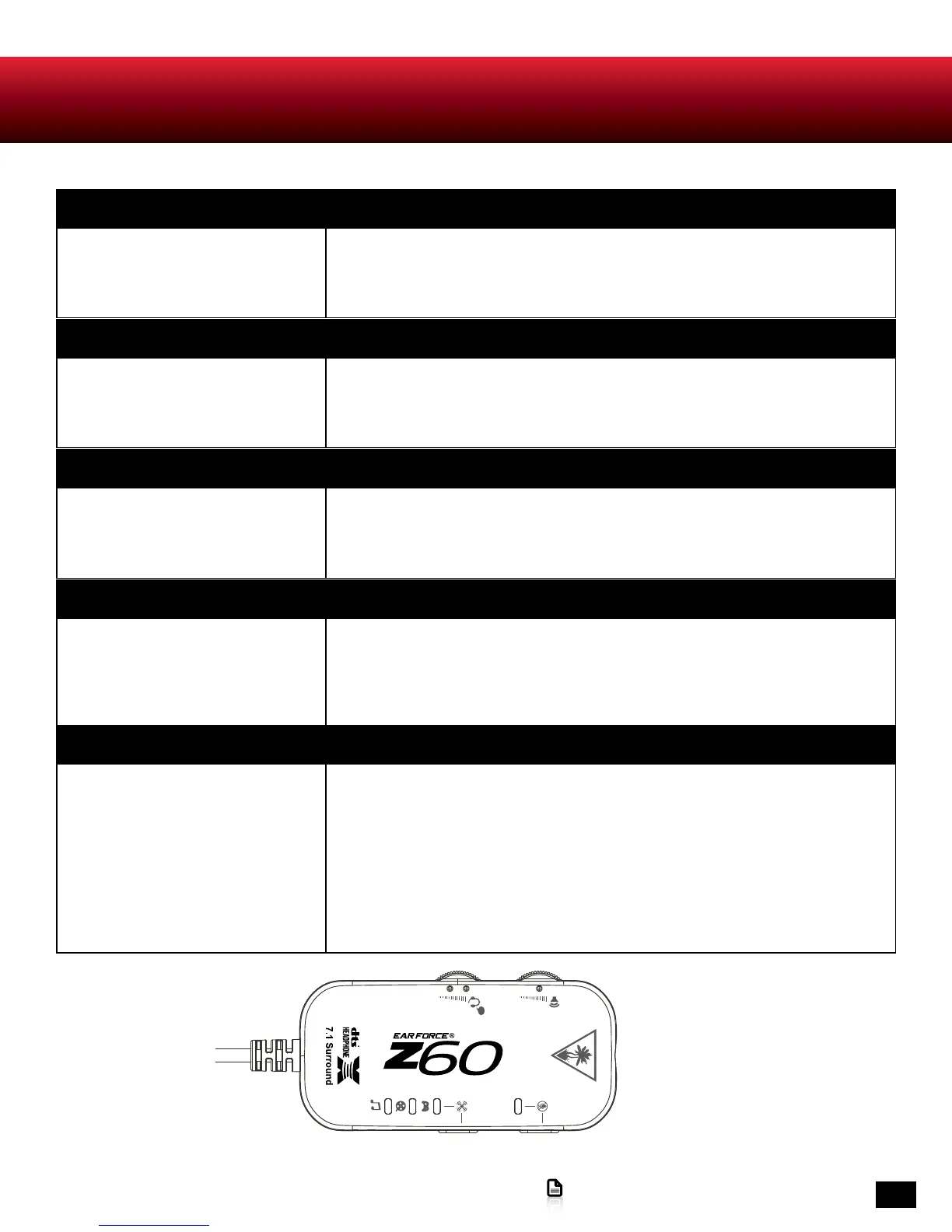
Adjust game/media volume. Use the Game Volume Control on the Surround Sound Control Unit. A single raised
bump in the Surround Sound Control Unit housing helps you identify the control
without looking so you can keep your eyes on the game.
If you want to… Then...
Adjust chat volume. Use the Chat Volume Control on the Surround Sound Control Unit. Two raised bumps
in the Surround Sound Control Unit housing help you identify the control without
looking so you can keep your eyes on the game.
If you want to… Then...
Turn the microphone on or off. Give the Mic Mute Button on the Surround Sound Control Unit a short press. The Mic
Mute Indicator will glow red whenever the microphone is turned off. To turn the mi-
crophone on again, give the Mic Mute Button a short press. The Mic Mute Indicator will
switch off.
If you want to… Then...
Turn microphone monitoring on or
off.
The Z60 incorporates microphone monitoring, so you can hear your own voice in the
headset and you won’t be shouting needlessly. To activate the feature, press and hold
the Mic Mute Button on the Surround Sound Control Unit until this Mic Mute Indicator
flashes briefly. To deactivate this feature, press and hold the Mic Mute Button until the
Mic Mute Indicator flashes briefly.
If you want to… Then...
Adjust surround sound. The Z60 takes advantage of DTS® Headphone:X Surround Sound, which uses
sophisticated processing to create surround sound using just two speakers. The
system reproduces the sonic characteristics of specific rooms, optimized for specific
types of content. The surround sound button on the Surround Sound Control Unit
cycles through 4 Custom DTS Headphone: X Modes.
Game The Game LED glows blue.
Movie The Movie LED glows blue.
Music The Music LED glows blue.
Off The surround LEDs switch off.
MODE SWITCH












 To Next Page