EasyManua.ls Logo

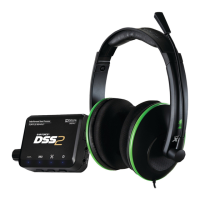
Turtle Beach Ear Force DX11 - User Manual

Turtle Beach Ear Force DX11
17 pages
Print Icon
To Next Page IconTo Next Page
Loading...
TurtleBeach.com
Question and Answer IconNeed help?

Do you have a question about the Turtle Beach Ear Force DX11 and is the answer not in the manual?

Summary

EAR FORCE DX11 User Guide

System Requirements

Package Contents

Lists all the components included in the DX11 headset package.

Safety Notice

Introducing the Ear Force DX11

Front Panel Overview

Front Panel Controls and Indicators

Details the USB Out, Headphone Jack, Volume, LEDs, Bypass, and Bass Boost controls.

Rear Panel Overview

Rear Panel Inputs and Controls

Describes Analog In, Input Volume, Digital In, USB In, and Power Switch.

DSS Input Modes and Dolby Processing

Using the Amplifier

Amplifier Controls

Details the Game Audio Volume, Chat Volume, Mic Mute, and Amplifier LED.

Connecting Microphone for XBOX LIVE

Configuring XBOX LIVE Settings

Configuring XBOX Audio Settings

Connecting to XBOX 360 via HDMI Cable

Setting up DX11 on XBOX 360

Setting up DX11 on PC;Mac with S;PDIF Output

Setting up DX11 on PC;Laptop Without S;PDIF

Troubleshooting Tips

Common Issues and Solutions

Addresses problems like no digital output, no sound, and audio distortion, offering fixes.

Summary

EAR FORCE DX11 User Guide

System Requirements

Package Contents

Lists all the components included in the DX11 headset package.

Safety Notice

Introducing the Ear Force DX11

Front Panel Overview

Front Panel Controls and Indicators

Details the USB Out, Headphone Jack, Volume, LEDs, Bypass, and Bass Boost controls.

Rear Panel Overview

Rear Panel Inputs and Controls

Describes Analog In, Input Volume, Digital In, USB In, and Power Switch.

DSS Input Modes and Dolby Processing

Using the Amplifier

Amplifier Controls

Details the Game Audio Volume, Chat Volume, Mic Mute, and Amplifier LED.

Connecting Microphone for XBOX LIVE

Configuring XBOX LIVE Settings

Configuring XBOX Audio Settings

Connecting to XBOX 360 via HDMI Cable

Setting up DX11 on XBOX 360

Setting up DX11 on PC;Mac with S;PDIF Output

Setting up DX11 on PC;Laptop Without S;PDIF

Troubleshooting Tips

Common Issues and Solutions

Addresses problems like no digital output, no sound, and audio distortion, offering fixes.

Turtle Beach Ear Force DX11 Specifications

General IconGeneral
TypeOver-ear
ConnectivityWired
Driver Size50 mm
Frequency Response20 Hz - 20 kHz
MicrophoneYes
Sound Output ModeStereo
Impedance32 Ohms
Magnet MaterialNeodymium
Connector Type3.5 mm
CompatibilityPC, Xbox 360

Related product manuals