9
Go to Table of Contents
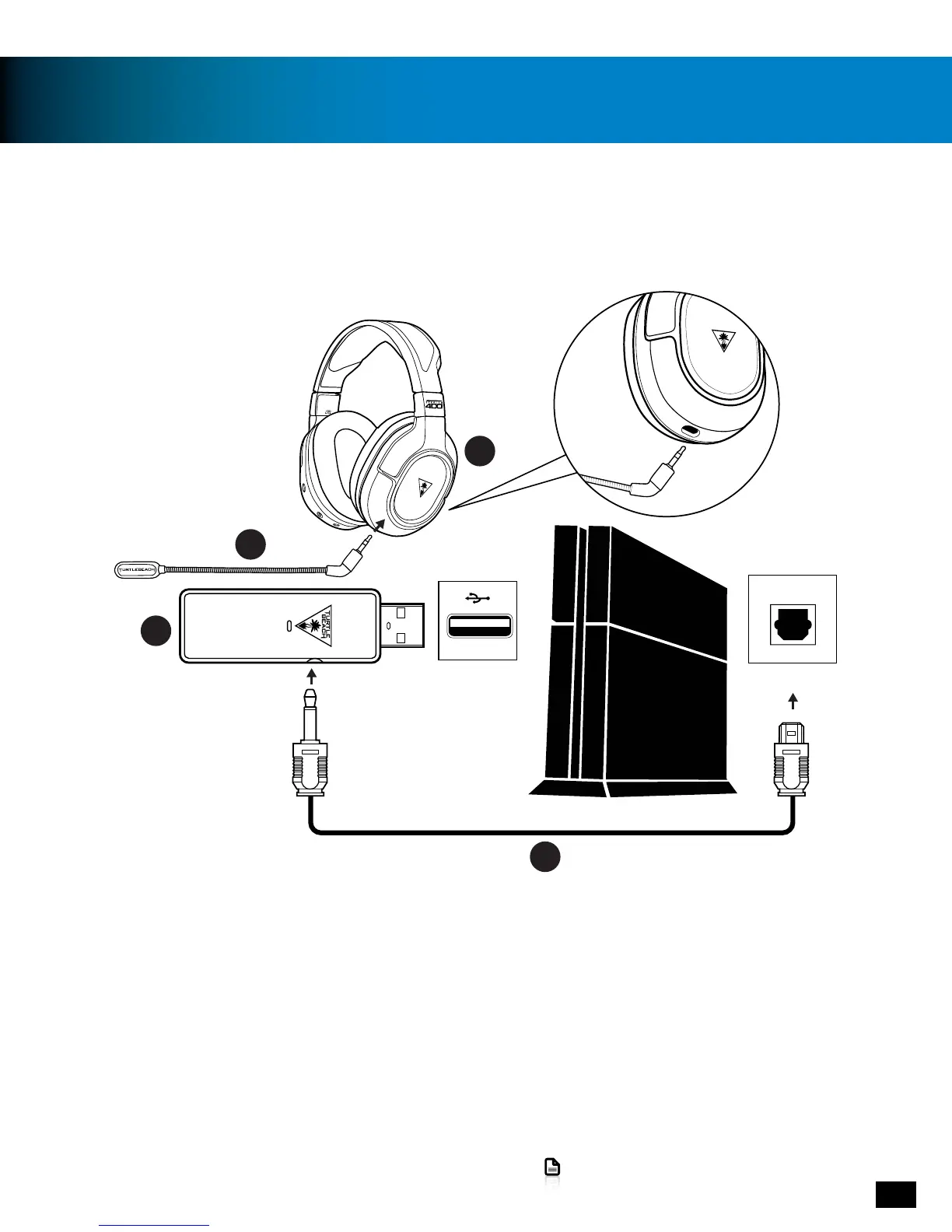
PS4™ setup
The Ear Force STEALTH 400 headset is designed for use with PS4™ consoles.
B
F
A
DIGITAL OUT
(OPTICAL)
D
1. Plug the Removable Mic Boom into the jack on the left earcup of the Headset.
2.ConnectthesquareopticalplugoftheDigitalOpticalCabletotheDigitalOut(Optical)portofthePS4™
console.
3. Insert the small plug of the Digital Optical Cable into the Digital Optical Input on the side of the Wireless
Transmitter.
4. Insert the Wireless Transmitter into a USB port on the PS4 console.















 To Next Page