10
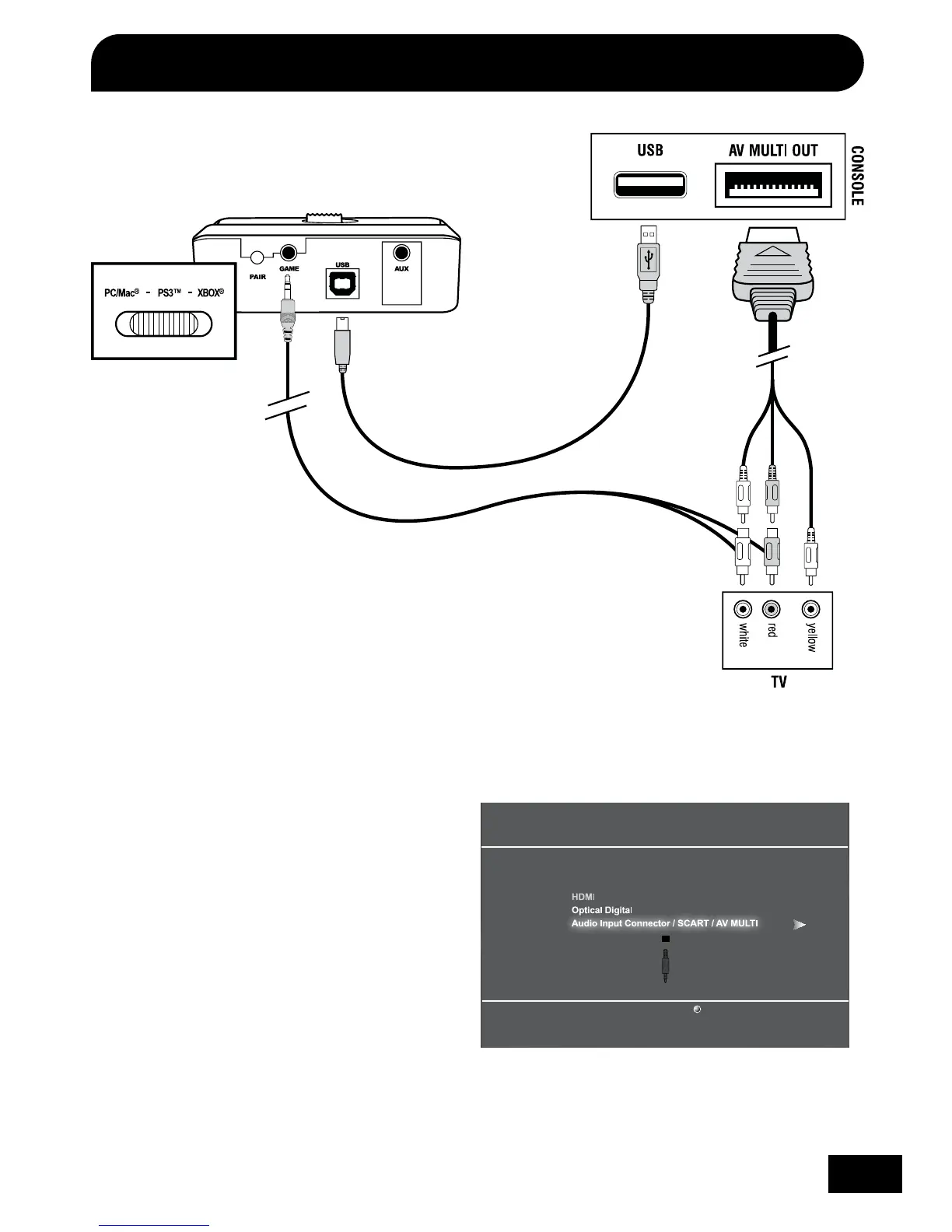
PS3 Setup (Composite)
Audio Output Settings
Select the connector on the TV or AV amplifier (receiver).
Turn on the power of the connected device.
Cancel
Configure PS3 Sound Settings
Step 1
In the PS3 menu select: “Settings” > “Sound
Settings” > “Audio Output Settings”.
Step 2
Select ”Audio Input Connector / SCART / AV MULTI”
to send the audio output to the PX3.
Step 3
Press “X” to save this setting.
PS3 AV Cable
Transmitter USB Cable
(included)
RCA Splitter Cable
(included)















 To Next Page