14
Go to Table of Contents
Bluetooth Pairing
While the supplied Mobile Cable gives you wired connection to mobile devices, the Bluetooth feature enables wireless
connections (HSP + A2DP). Enjoy the Turtle Beach Elite 800X with compatible mobile devices, such as tablets, smart-
phones and the handheld gaming devices.
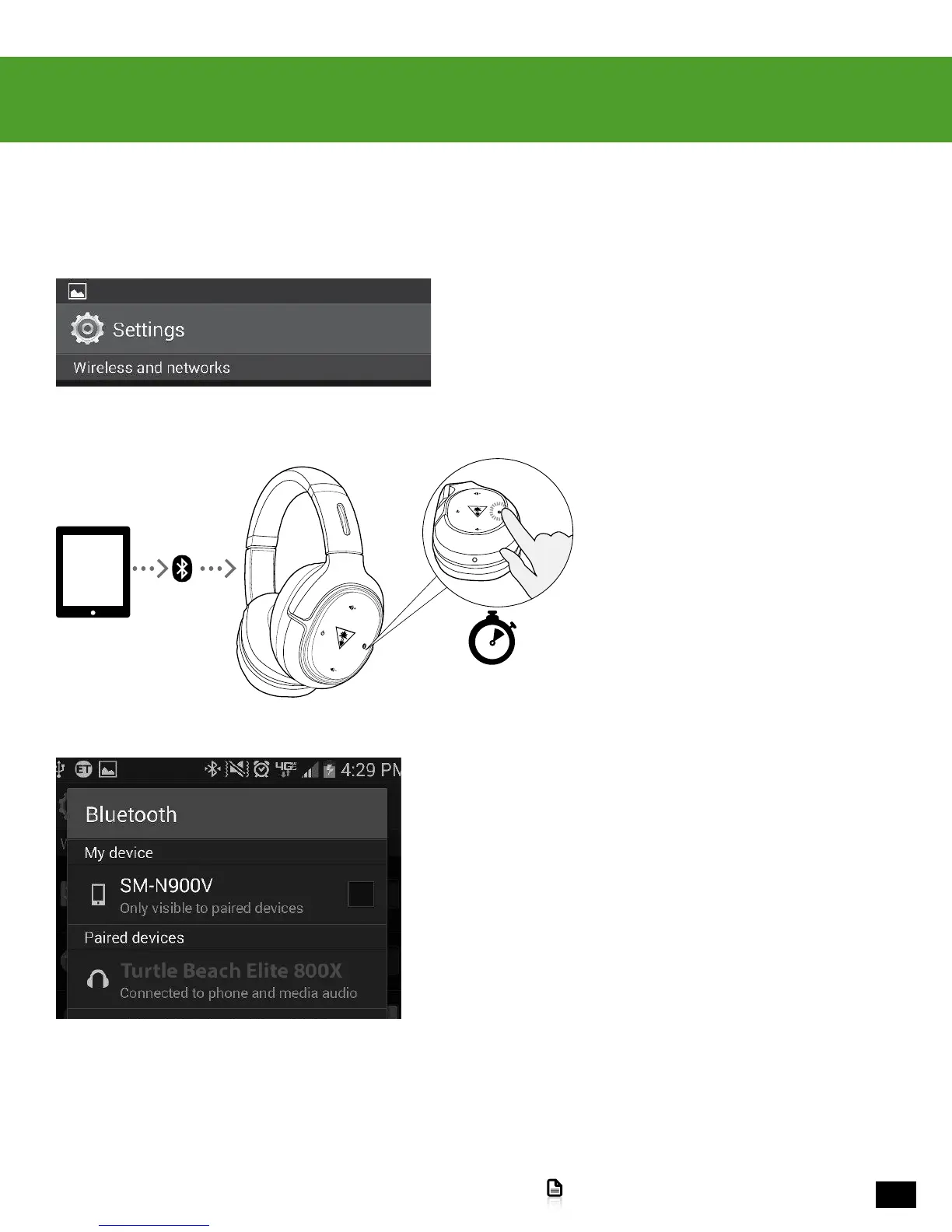
1. Power on your mobile device and go to Settings > Wireless and
Networks, or the equivalent.
2. Power on the Elite 800X Headset. Press
and hold the Bluetooth/Multi-Function button
on the left earcup for four seconds.
3. On your mobile device, select Turtle Beach Elite 800X from the
list of available Bluetooth devices and complete pairing.
4 seconds












 To Next Page