12
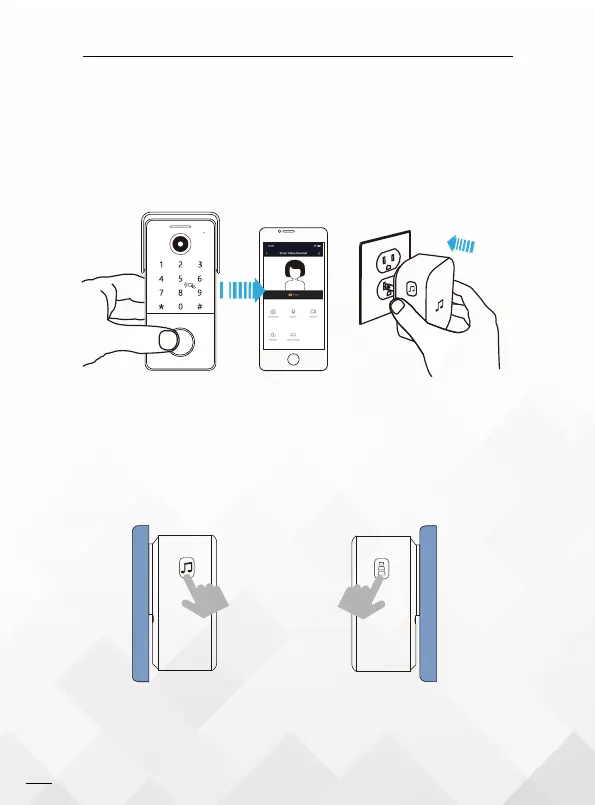
Set up your chime with the video doorbell
Before the setup process, be sure your video doorbell has connected to your phone
and plug in your chime.
14.Getting Started
Step 1
Press the Tune Button to cycle through
50 different tunes and select a tune.
Step 2
Press and hold the Volume Button for
5 seconds until the blue indicator is ON.
Step 3


 To Next Page