Need help?
Do you have a question about the TUYA Smart X5 and is the answer not in the manual?
List of included doorbell parts: AC Input, Reset Button, Battery Compartment, Fixed holes, Security Screw hole, TF Card, and USB.
Explanation of doorbell features: IR LEDs, Light Sensor, MIC, Button, PIR, Lens, Indicator Light, and Speaker.
Instructions for mounting the bracket, connecting AC wires, and installing batteries.
Guide to downloading and installing the Tuya Smart or Smart Life mobile application.
Steps for setting up the app and pairing the smart doorbell via Wi-Fi.
Recommendations for managing notification sensitivity and enabling push notifications.
Information on battery life, charging, and low battery prompts.
Tips for ensuring strong Wi-Fi signal and optimal placement.
Explanation of how the device wakes up via APP, PIR detection, or doorbell press.
Details on resolution, view angle, IR LED, Wi-Fi, audio, recording, storage, and battery.
Step-by-step guide to pairing the chime with the video doorbell.
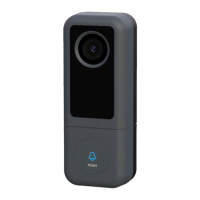
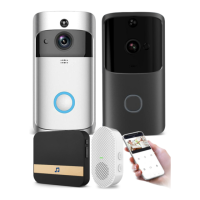
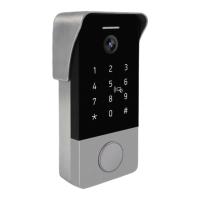
Visual overview of different JeaTone doorbell models such as V10W, V10B, V20W, V20B, X5, T9W, T9B, M11, M6, T8.
 General
| Brand | TUYA |
|---|---|
| Model | Smart X5 |
| Category | Accessories |
| Language | English |


 To Next Page