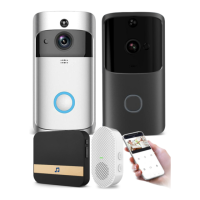
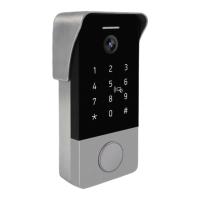
This document is a quick start guide for a 2K (Wired) Video Doorbell, manufactured by Tuya. It provides instructions for setup, installation, and usage, along with troubleshooting tips.
Function Description:
The 2K (Wired) Video Doorbell is a smart home device designed to provide video surveillance and communication at your doorstep. It allows users to see, hear, and speak to visitors from anywhere using a smartphone app. The doorbell records visitor calls and motion detection events, offering both local storage via a MicroSD card and optional cloud storage. It integrates with a wireless indoor chime to notify residents when the doorbell button is pressed. The device is designed for both new installations and retro-fit installations, utilizing existing doorbell wiring. It supports integration with smart home ecosystems like Google Home and Amazon Alexa.
Important Technical Specifications:
- Video Resolution: 2K
- Power Source:
- DC 12V (via provided power adapter)
- AC 12V~24V (for hardwire retro-fit installation)
- Connectivity: 2.4GHz Wi-Fi (IEEE 802.11 b/g/n)
- Local Storage: MicroSD card slot, supports up to 128GB
- Wireless Chime: Communicates via Radio Frequency (not Wi-Fi)
- Operating Temperature: Not specified, but designed for outdoor use.
- Dimensions: Not explicitly stated, but described as "smaller in dimension, fitting into narrow door frames."
- Mounting Angle: Optional 20° angle mount available for adjusting viewing angle.
Usage Features:
- Live View: Users can tap on the device icon in the SmartLife app to watch live video from the doorbell.
- Two-Way Audio: Features a microphone and speakers, enabling users to speak to visitors through the app.
- Doorbell Button: A physical button on the doorbell for visitors to press, triggering the indoor chime and app notification.
- LED Indicator: Provides visual feedback on the doorbell's status (e.g., solid red for abnormal, solid blue for connected, flashing red for Wi-Fi configuration/connection, flashing blue for firmware upgrade, nothing for power failure/status light off).
- Motion Detection: Detects motion through full-image pixel contrast and includes human-shape detection to reduce false alarms. Users can customize detection zones, sensitivity, and schedule alarm intervals.
- Event Recording: Records visitor calls and motion detection events by default.
- Non-Stop Recording: Can be enabled in settings (requires MicroSD card or cloud storage).
- Video Playback: Allows playback of recorded videos from the MicroSD card or cloud storage via the app. Users can check video history by date and navigate a timeline.
- Screenshot: Capture photos from the live view or playback and save them to the photo album.
- Manual Video Recording: Start and stop video recording manually from the live view.
- Wireless Chime Pairing: The indoor wireless chime can be easily paired with the doorbell. Multiple chimes can be paired with one doorbell.
- Ringtone Selection: Users can select different ringtones for the wireless chime through the app settings.
- Wi-Fi Configuration: Guided setup process through the SmartLife app, involving device reset, Wi-Fi password input, and QR code scanning.
- Smart Home Integration: Works with Google Home and Amazon Alexa for voice control.
- User Guide: A physical user guide is included in the box for reference.
- Power Adapter: A DC12V 1A power adapter is provided for initial setup and hardwire installation.
- Jumper for Indoor Chime: Included for bypassing existing mechanical chimes during retro-fit installations to ensure sufficient power for the new video doorbell.
- Extension Wire & Wire Nuts: Provided for wiring connections.
- List Tools: Basic tools are included for installation.
- 20° Angle Mount: An optional accessory to adjust the viewing angle of the doorbell.
Maintenance Features:
- Firmware Upgrades: The doorbell's firmware can be upgraded, indicated by a flashing blue LED.
- Reset Functionality: A reset hole on the doorbell and a reset button on the chime allow for troubleshooting and re-pairing.
- MicroSD Card Management: Users can manage local storage, including formatting the MicroSD card, through the app settings.
- Cloud Storage: Optional subscription service for secure storage of recorded video data, accessible even if the camera is stolen or destroyed. Cloud storage supports event recording.
- Troubleshooting Guide: The manual includes a dedicated section for common issues and their solutions, such as poor video/audio quality, Wi-Fi range issues, and power supply questions.
- Continuous Product Improvement: The manual states that contents are subject to change without notice in accordance with the policy of continuous product improvement, suggesting ongoing support and updates.

 Need help?
 General

 To Next Page