- 7 -
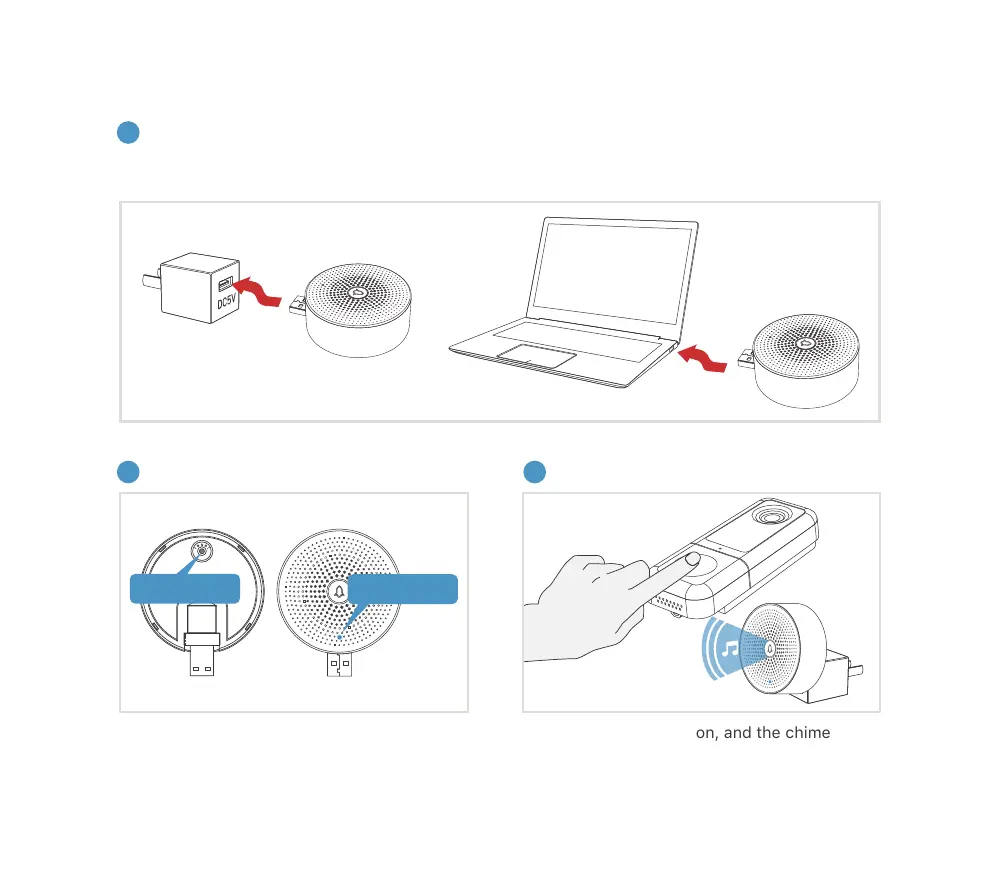
9. Connect the chime
1
2 3
(not included)
(not included)
The chime can be powered by USB compatible power source(DC5V 1A), or by the USB port on your
computer.
Supply power to the chime
Click reset button Press the doorbell button
Reset Button
LED Indicator
Click on RESET only once, and you will see the
chime indicator flashing blue, indicating that
the chime is in pairing mode.
Press the doorbell button, and the chime will
sound. If pairing is successful, the indicator on
the chime will be in solid blue.


 To Next Page