Need help?
Do you have a question about the TUYA Smart V10W and is the answer not in the manual?
Support AC power supply input for doorbell.
Doorbell working status, long press 5 seconds to restore factory settings.
Mounting 18650 specification battery.
Fit the support on the wall with mounting screws for the bracket.
Mount security screw to prevent doorbell removal.
TF card maximum support 64GB.
Charge the battery.
Enable infrared light when ambient light is insufficient.
Collects ambient brightness to enable IR LEDs below 2 Lux.
Audio capture.
The button to activate the doorbell.
Detects human body movement for mobile notifications.
Video image capture.
Describes indicator light colors for status and connection.
Outputs doorbell sound and enables voice intercom.
Use screws to fit the bracket onto the wall.
Connect AC (16-24V) wire to the AC input hole if applicable.
Press the reset button for 5 seconds for factory settings.
Mounting three 18650 specification batteries.
Align, push down, and lock the doorbell with security screws.
Download and install the 'Tuya Smart' or 'Smart Life' mobile application.
Ensure the app is installed and connect to a 2.4GHz WIFI network.
Open the app and click 'Add Device'.
Navigate to 'Add Device' then select 'Smart doorbell'.
Select QR Code mode for device pairing.
Enter Wi-Fi name and password for network pairing.
Scan QR code with the camera until a prompt is heard.
Confirms successful addition of the device to the app.
Enable push notifications in your phone's settings for the app.
Device powered by rechargeable batteries, approx. six months life.
Keep camera within router range; avoid thick or insulated doors.
Supports remote wake-up, PIR detection, and doorbell press.
Specifies video resolution (1920x1080/1280x720) and view angle (166 degrees).
Details IR LED wavelength (6*850nm) and Wi-Fi standard (IEEE 802.11 b/g/n).
Two-way talk capability and SD card recording (20 seconds).
Supports up to 64GB SD card and uses 18650 Li-Ion batteries.
Features motion detection, remote live view, and push notifications.
Fast wake-up and push notification, standby 200 uA.
Steps to pair the chime with the video doorbell.
Cycle through 52 different tunes using the tune button.
Press and hold the Volume button to turn on the blue indicator.
Press the Call button to play the selected tune on the chime.
Note to choose the correct 18650 batteries for the doorbell.
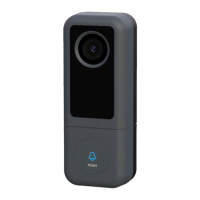
Displays various models including V10W, V10B, V20W, V20B, X5, T9W, T9B.
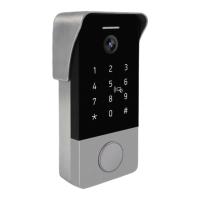
Displays additional models including M11, M6, T8.
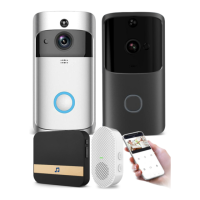
Displays chime models.
Information for clarification and potential differences due to product upgrades.
 General
| Brand | TUYA |
|---|---|
| Model | Smart V10W |
| Category | Accessories |
| Language | English |

 To Next Page