- 4 -
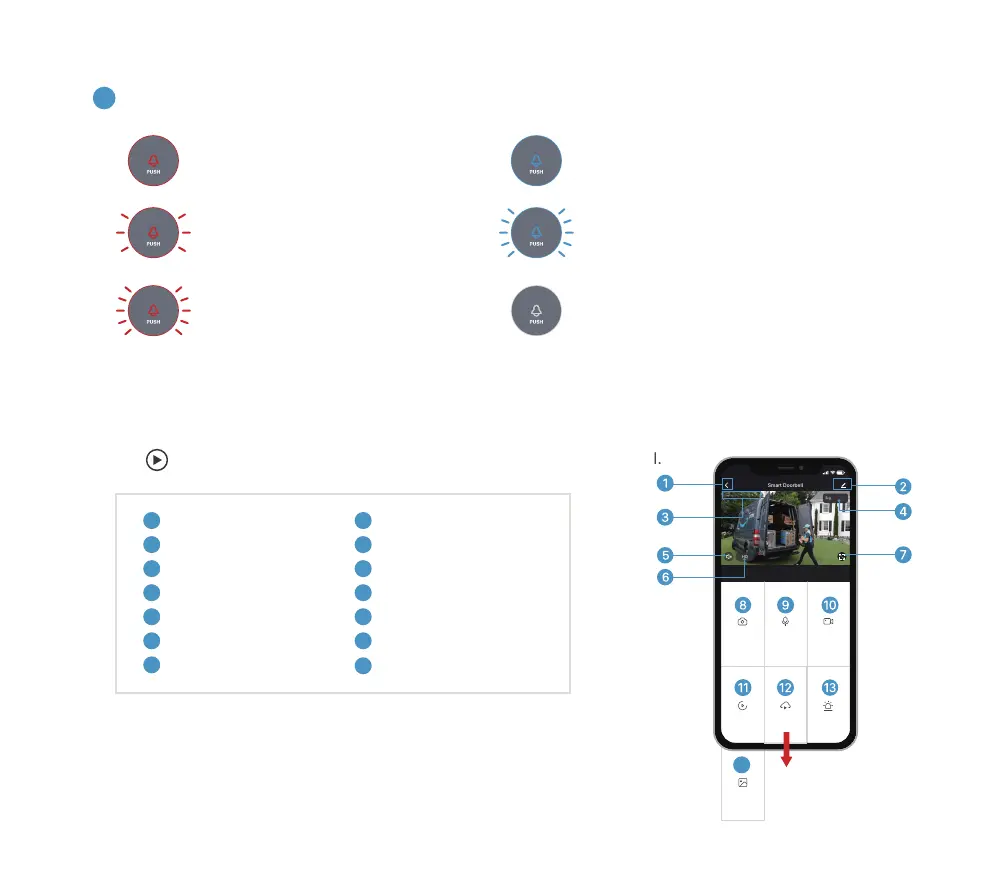
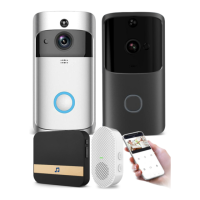
Tap on the Home page devices to watch live view from your doorbell.
5
LED indicator explanation:
-
Solid Red
Device is abnormal.
-
Solid Blue
Successfully connected to WiFi network.
-
Flashing Red Quickly
Device is connecting to WiFi.
-
Nothing
Power failure/
Status light is turned off in doorbell Settings.
-
Flashing Red Slowly
Ready for WiFi configuration.
-
Flashing Blue Quickly
Firmware is upgrading.
5. Live view
3
6
4
1
7
2
5
Quit live viewing
Setting menu
Date & time watermark
Wi-Fi signal status
Volume on/off
FHD/HD/SD switch
Full screen display
9
10
13
14
8
11
12
Screenshot button
Speak to the scene
Record on the phone
History playback
Cloud storage
Alarm setting
Photo Album
Note:
Live viewing will not trigger device recording at Event recording mode.
Screenshot
Speak Record
Playback Cloud Storage Alarm
Smart Doorbell
Signal: 86%
HD
2020-07-17 09:55:37
2020-07-17 09:55:37
9:55
14
Photo album
Scroll
Down


 To Next Page