16
Settings
16.1. Memory reset for password and RFID key
Press SET button for 3s and release until long beep
heard.
Shortly press it for 3 times and 3x long beep heard.
16.2. Master password setup
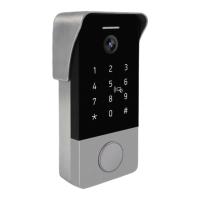
In standby mode enter master password (default master
password is 123456) and press # button to enter settings
mode. Double long beep sound will be heard.
Press 0 and # button to enter into master password
setup mode. One long beep sound will be heard.
Enter new 6-digit password and press # button. One
long beep sound will be heard.
Press * button to exit into standby mode. Double short
beep sound will be heard.
1)
2)
1)
2)
3)
4)


 To Next Page