4.Connection
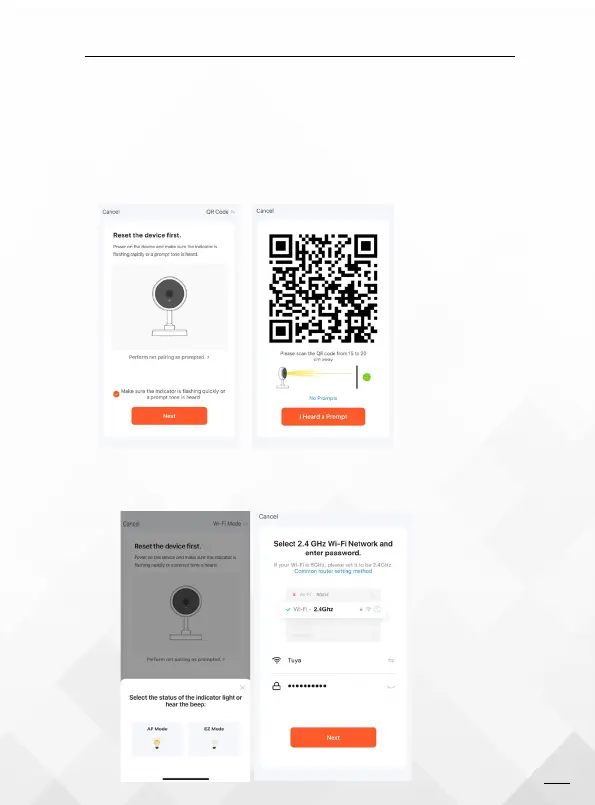
4.1 QR Code Connection (Recommend)
Select 2.4 GHz WIFI Network and enter password (5G is unavailable)
Use the smartphone to Scan QR-code from 10 to 15 cm away, and
waiting for device with a prompt beep, Click " I Heard a Prompt" to
connection till success. (make sure your phone and device are as
close to your router as possible)
4.2 WI-FI Mode
Select the status of the indicator light or hear the beep:
03


 To Next Page