20
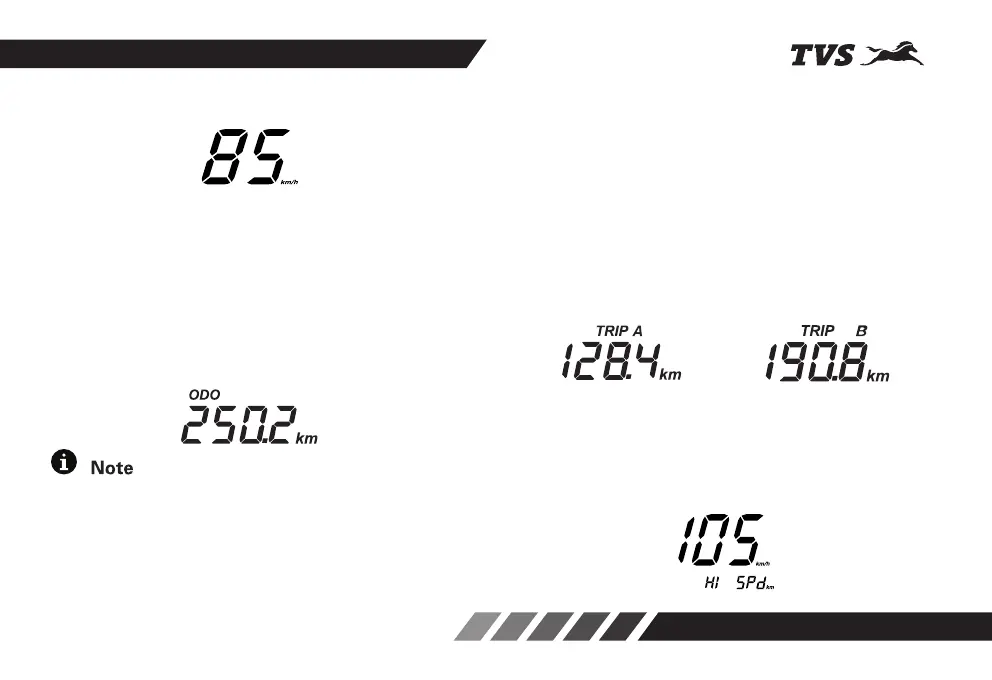
11. Speedometer
Indicates the vehicle speed in kilometer per hour.
12. Odometer / Trip meter A & B / High speed
indicator / Shortest time indicator
The procedure for setting each mode is given in page
No. 22.
12a. Odometer
Odometer registers the total distance covered by the
vehicle in kilometer per hour. The digit after the dot
mark denotes one tenth of a kilometer. Set the meter
in ‘ODO’ mode to know the odometer reading.
If you leave the ignition key in ‘ON’ position and the
vehicle is kept without moving for more than 3 minutes,
ODO segments starts blinking which is normal. If you
notice the ODO segments are blinking while the vehicle
is in move. Contact nearest TVS Motor Company
Authorised Main Dealer for rectification.
12b. Trip meter A & B
In ODO mode, press the mode button once and twice
to enter ‘TRIP A’ and ‘TRIP B’ meters respectively.
Trip meter indicates the trip distance travelled in
kilometer. The digit after the dot mark denotes the
one tenth of a kilometer.
Provision to measure two different trip distance
‘TRIP A’ or ‘TRIP B’ is provided for the users to use
as per their convenience. You can reset it whenever
is required. Refer page No. 22 for resetting
procedure.
12c. High speed indicator
High speed indicator records the maximum speed
(top speed) achieved by the rider so far. You can reset
and record the new speed if required. Refer page No.
22 for resetting the high speed data.













 To Next Page