23
23
DIGITAL CLOCK SETTING
Digital clock can be set in ‘ODO’ mode only. Set the
digital clock time in the following manner:
1. Change the instrument cluster to ‘ODO’ mode by
pressing the Mode switch.
2. Press and hold the Mode switch (A) for a few
seconds to change the clock timing to 12 or 24
hour format.
3. Press and hold the Set switch (B) for a few
seconds to enter the clock setting mode.
4. Press the Mode switch to increase the hours
(while hours digits are blinking).
5. To access the minutes, press the Set switch
again for a few seconds.
6. Press the Mode switch to increase the minutes
(while minutes digits are blinking).
7. Press the Set switch to exit the setting.
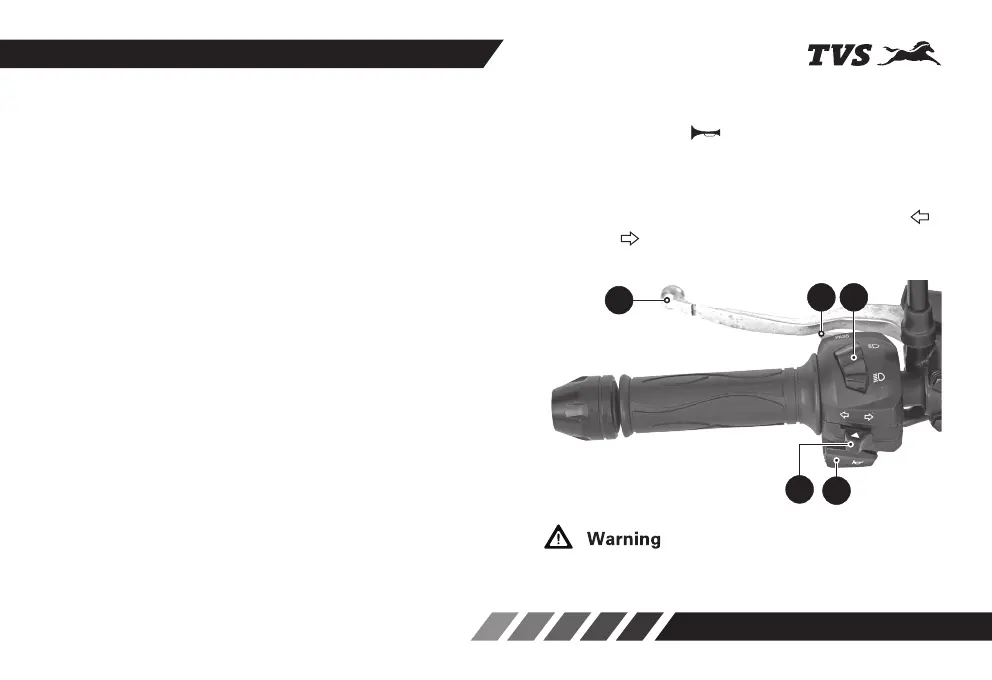
HANDLE BAR LEFT SIDE
1. Horn switch
Press the switch ( ) to blow horn. It is used to
attract the attention of other road users in case of
danger.
2. Turn signal lamp switch
When the turn signal switch is moved to left ’ ‘
or right ‘ ‘, the corresponding turn signal lamps
flashes. To stop flashing, push the switch in.
Failure to switch the turn signal lamp ‘ON’ or ‘OFF’ at the
right time may lead to an accident.
3
1
2
4 5














 To Next Page